
Send bulk SMS & WhatsApp campaigns right from your phone.
FRQ SMS Sender turns your Android phone into a powerful messaging tool. Put your contacts in groups, write one message, and send it to hundreds of people with their own name in it. No website panel, no extra platform fees. It sends through your own SIM.
Bulk SMS from your own SIM, zero per-message fees.
FRQ SMS Sender is a free Android app that sends bulk SMS and WhatsApp messages from your own phone and SIM. It is made for shops, clinics, schools, gyms, real estate agents and event organizers. There is no panel, no credit top-up and no per-message fee from the app. SMS go through your normal mobile package.
How much could you save?
Move your bulk SMS off paid platforms. Adjust the sliders to see what you're paying per message today.
FRQ SMS Sender sends through your SIM, so you only use your regular mobile package.
Built for people who message customers every day.
Smart contact groups
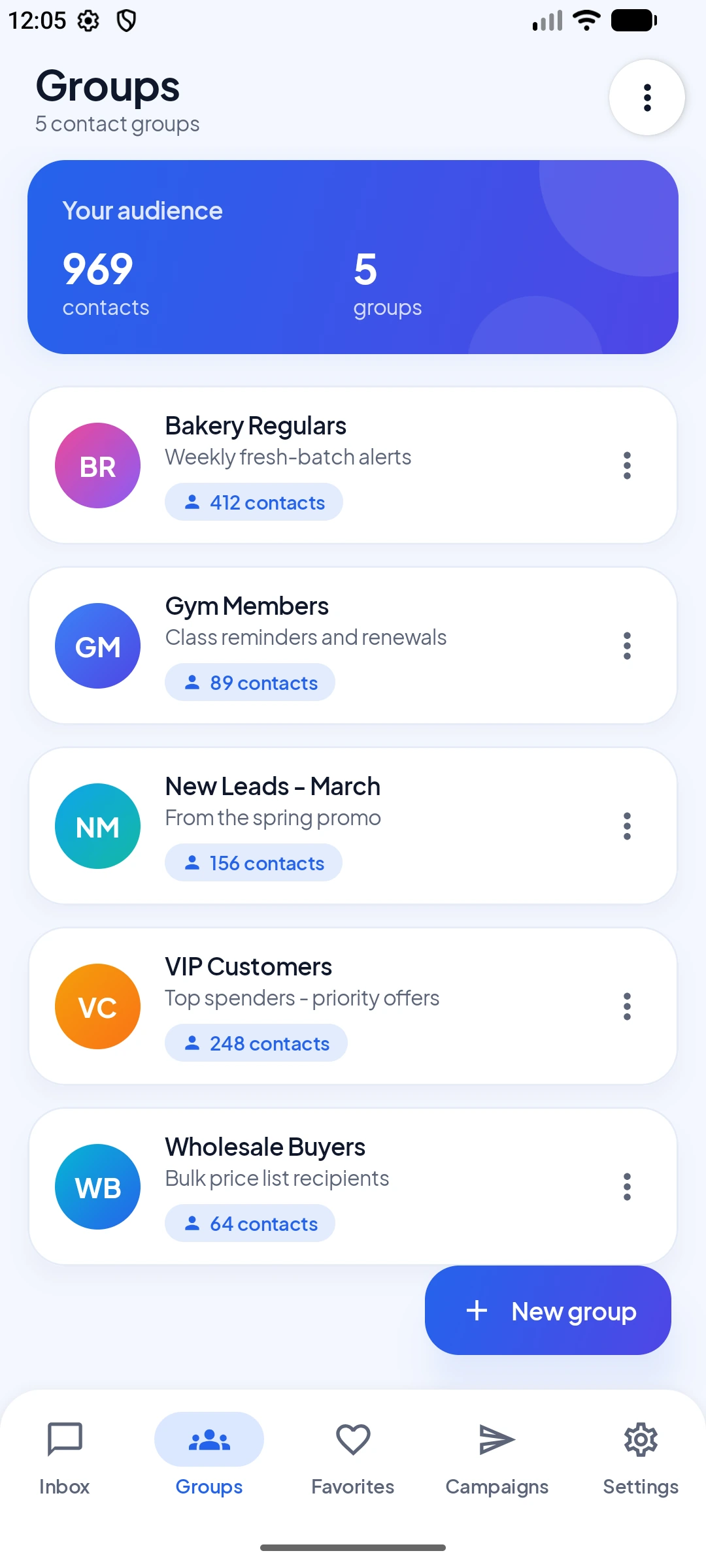
Sort people into groups like VIP customers, new leads or staff. Add by typing, from your phonebook, another group or a file.
Bulk SMS in one tap
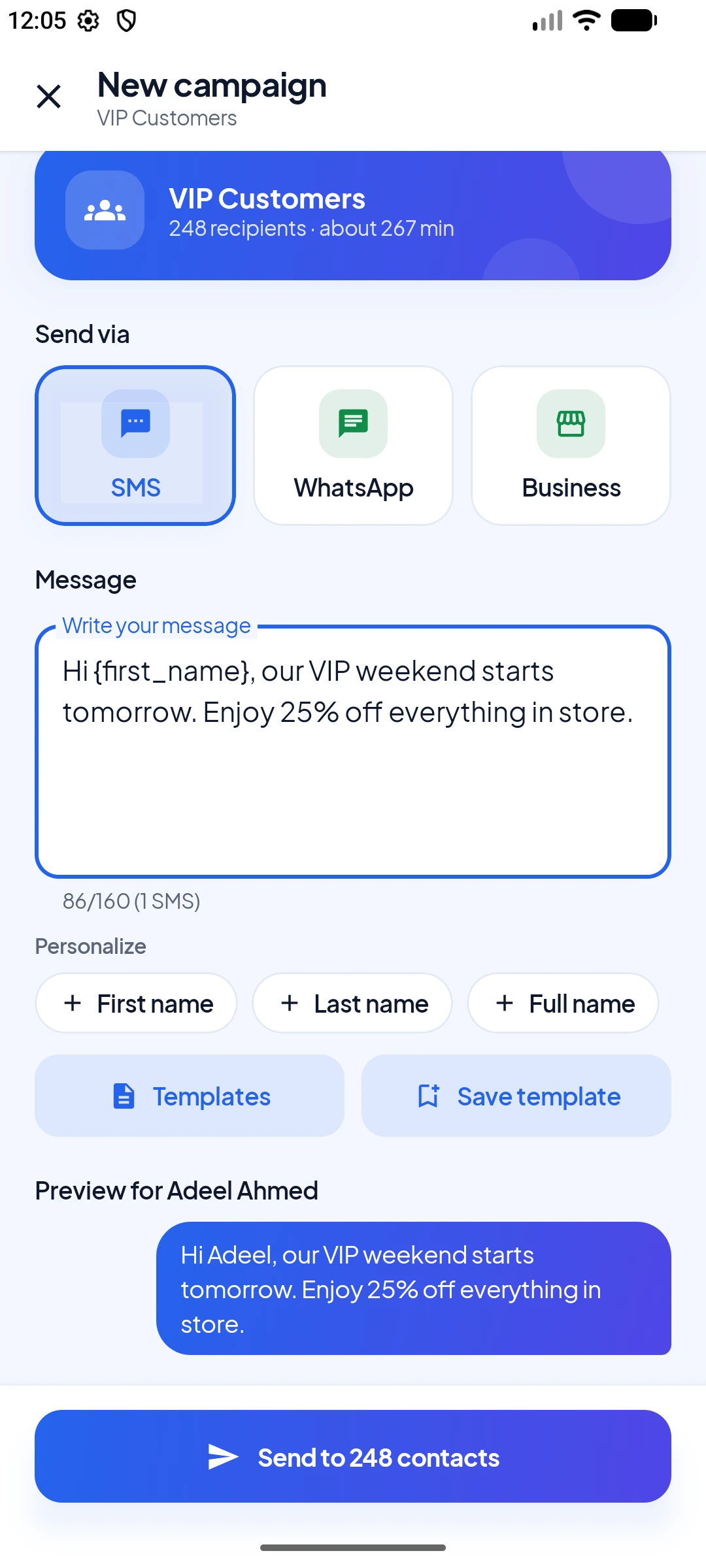
Pick a group, tap Send campaign, and the app sends to everyone in the background while you keep using your phone.
WhatsApp campaigns
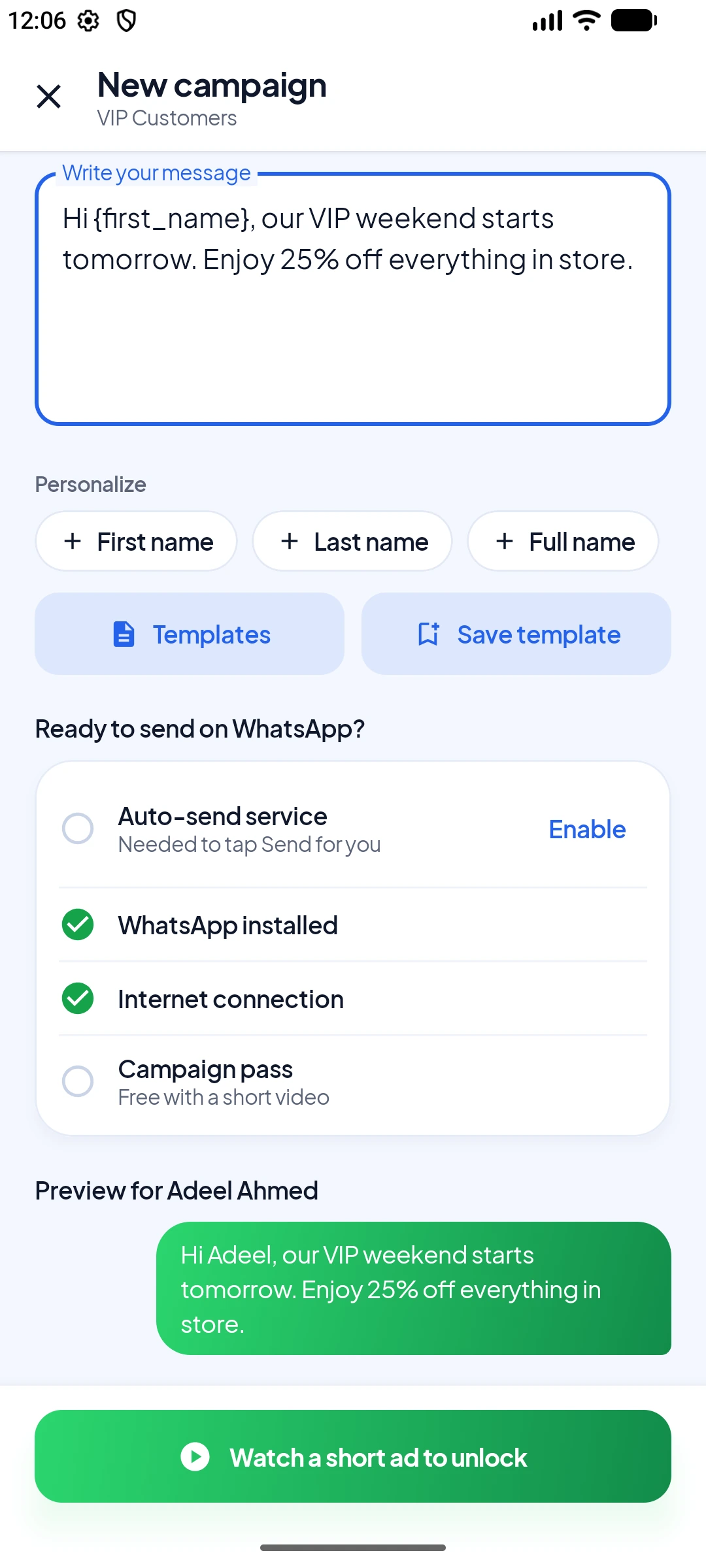
Run the same campaign on WhatsApp or WhatsApp Business. The app opens each chat and taps Send for you.
Personal for every contact
Use {first_name}, {last_name} or {full_name}. Each person gets their own name, with a live preview.
Excel and CSV import
Drop in an .xlsx or .csv file. Name and phone columns are found for you, and duplicates are caught.
Dual SIM ready
Choose which SIM sends each campaign, or set a default once. The app warns you if no SIM is found.
Live tracking
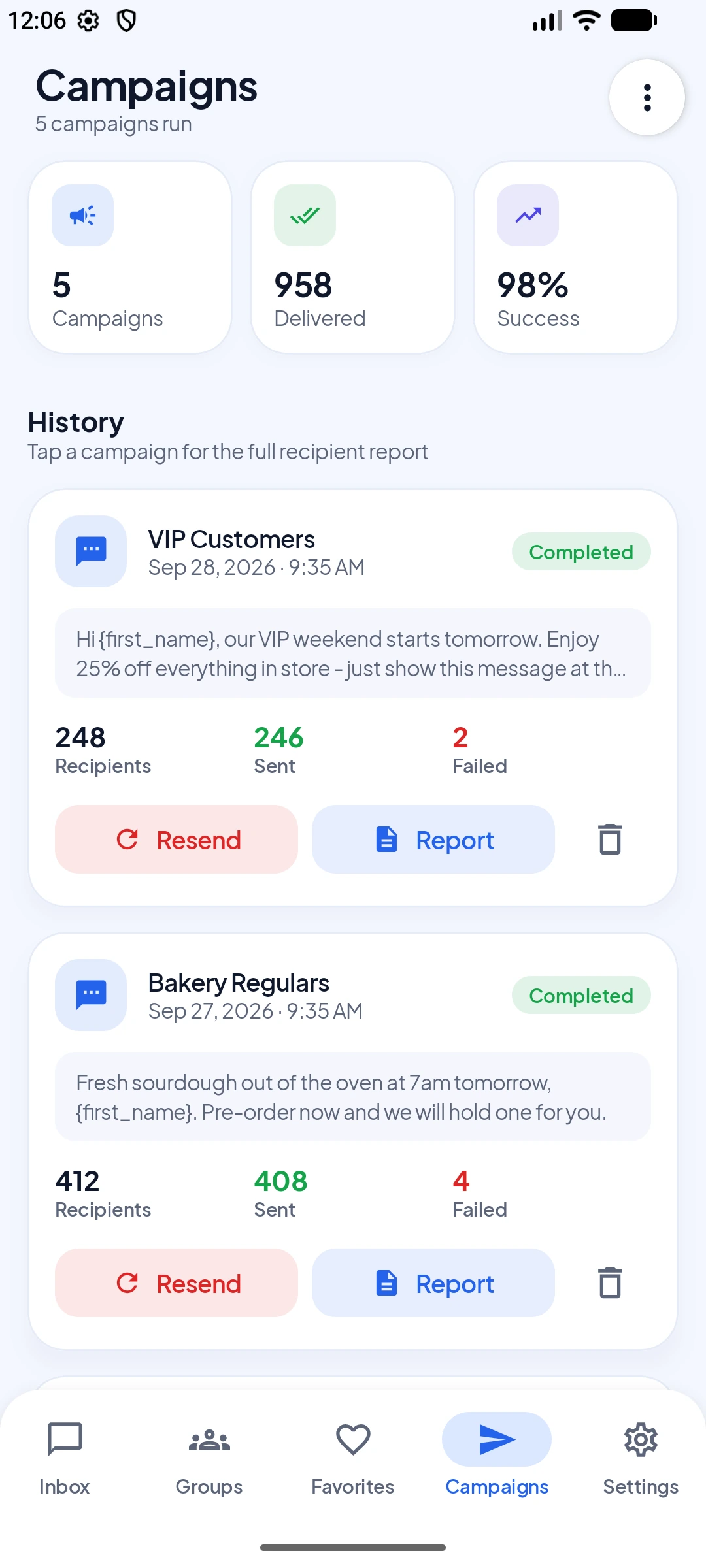
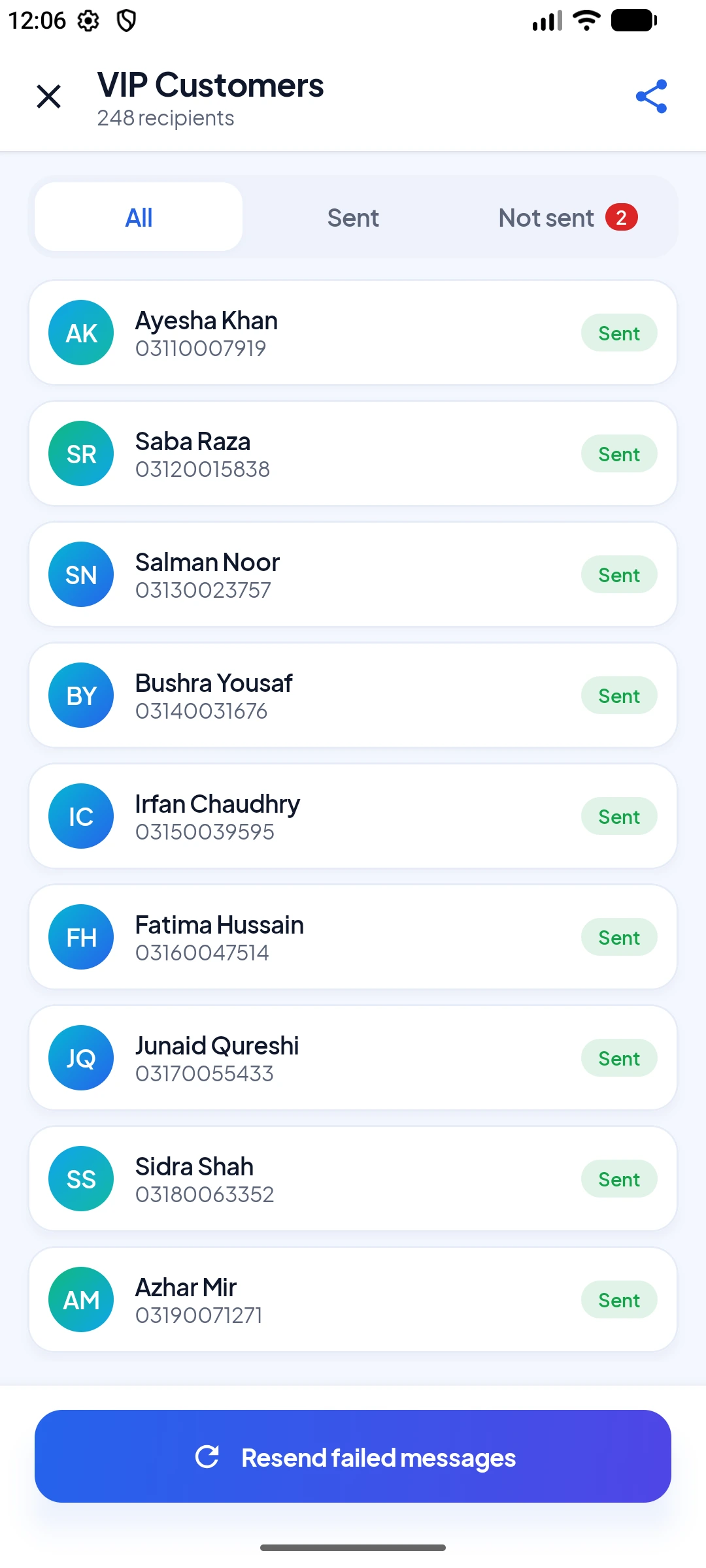
Watch sent, delivered and failed counts update live, with a clear success rate for every campaign.
Reports and one-tap resend
See every person and their status. Resend only the failed ones, or save a clean HTML report.
Templates and signatures
Save messages you send often and add your signature to every message automatically.
Favorites
Keep the people you message most in one place, even numbers not saved in your phonebook.
Full SMS inbox
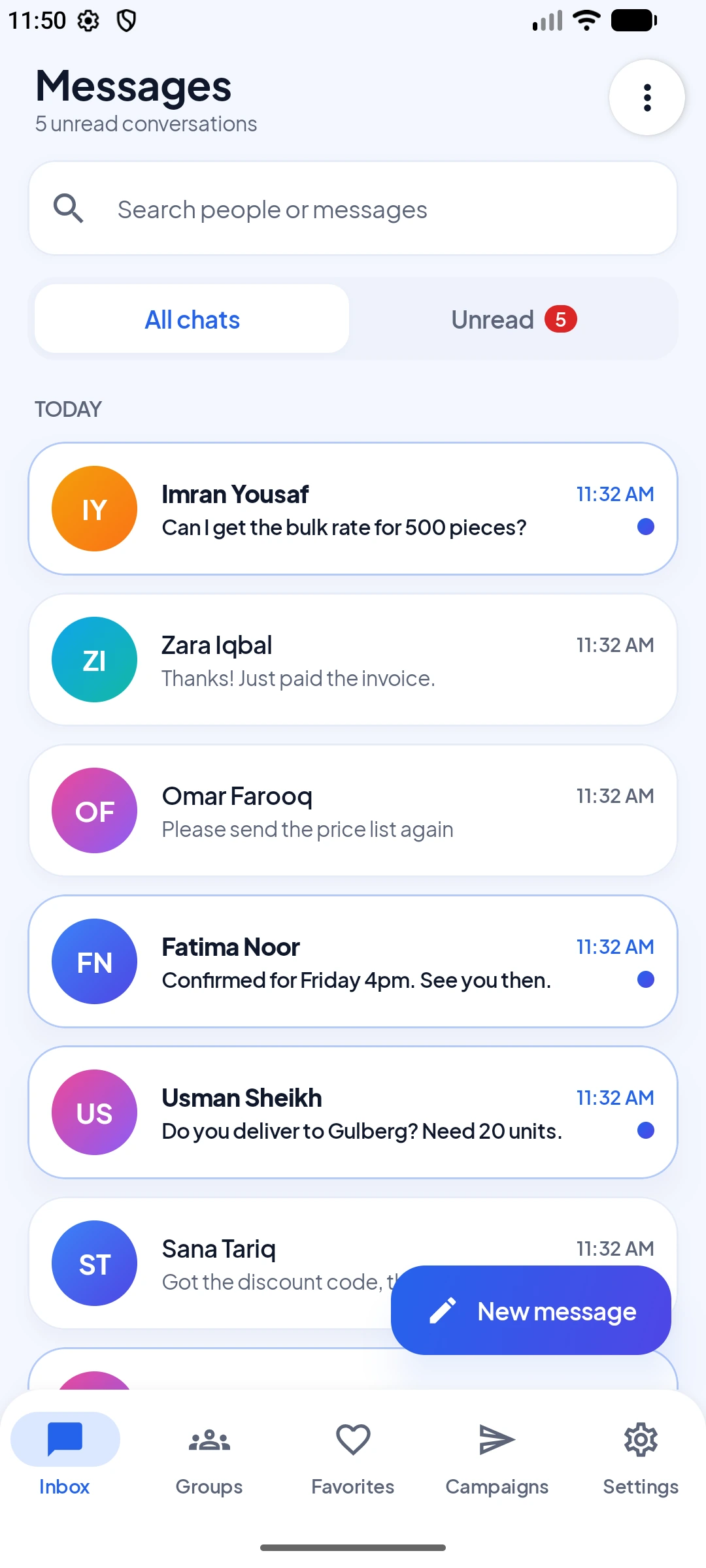
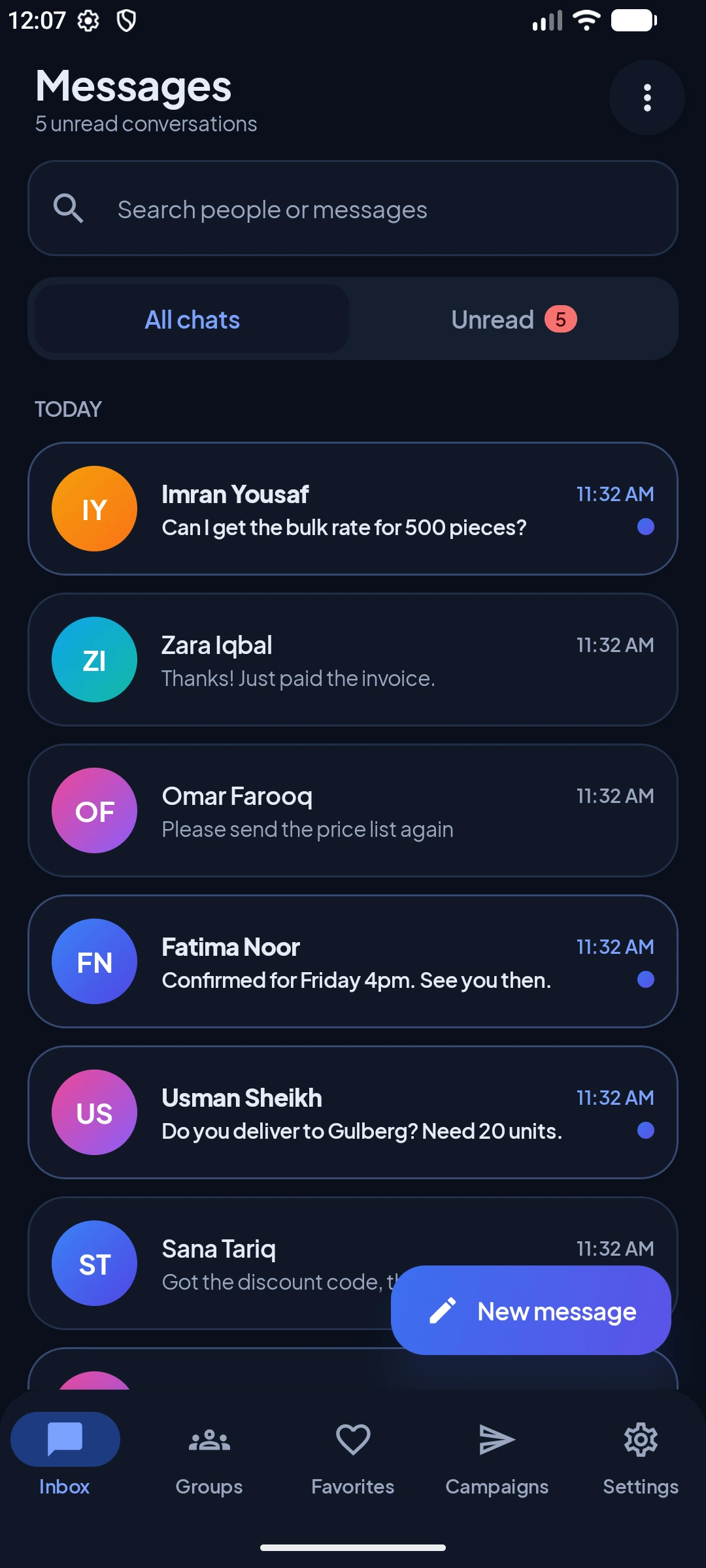
It is also your everyday SMS app. Search, filter unread, reply and forward, in light or dark mode.
Safe sending controls
Set a delay between messages and watch your daily count, so sending stays smooth and natural.
"The app is fast, reliable, and easy to use, making bulk or routine SMS sending much more convenient. One of its best features is that it runs smoothly in the background, so you can continue using your phone without constantly keeping the app open."
"Excellent app! Very useful, easy to use, and well-designed. Everything works smoothly. Highly recommended. Great work by the developer!"
Take a look inside the app.
Clean design, simple steps, and everything is one tap away.
Your first campaign in 4 easy steps.
No training needed. If you can send a normal SMS, you can run a full campaign.
Install the app
Download it free from Google Play and set it as your default SMS app in one tap.
FreeMake a group
Add contacts from your phonebook, type them in, or import an Excel or CSV file.
500 contacts in 10sWrite your message
Add {first_name} to make it personal. Pick SMS or WhatsApp and choose your SIM.
Live previewSend and track
Tap Send. Watch the results live and resend any failed messages in one tap.
One-tap resendQuestions people ask us most.
Still not sure? Email us at contact@frqtools.com and we will help.
Is FRQ SMS Sender free?
Yes. The app is free to download and use. It shows a few ads to stay free. You can watch one short video to use the app with no ads for 24 hours.
Do I pay anything per message?
The app does not charge you per message. SMS are sent through your own SIM, so your normal mobile package or carrier rates apply. WhatsApp messages use your internet.
How many people can I message at once?
You can send one campaign to a whole group, even hundreds of contacts. Your mobile carrier may have its own daily limits, so the app lets you add a delay between messages and shows how many you sent today.
Does it work without internet?
Yes. SMS campaigns go through your SIM and do not need internet. Only WhatsApp campaigns need an internet connection.
How do WhatsApp campaigns work?
Pick WhatsApp or WhatsApp Business as the channel. The app opens each chat with your message ready, and a small helper service taps Send for you. You turn the helper on once in your phone's Accessibility settings, after a clear notice that explains what it does.
Does the app read my WhatsApp chats?
No. The helper only presses the Send button in the chat the app opened. It does not read your chats, does not record what you type, and does not send your data anywhere.
Can I import contacts from Excel or CSV?
Yes. Use an .xlsx or .csv file with a header row and two columns, like Name and Phone. Headers such as Name, Phone, Number or Tel are found for you, and duplicate numbers are caught.
Why does it ask to be my default SMS app?
Android only lets the default SMS app send messages in bulk, save them in your inbox and track their status. FRQ SMS Sender is a full SMS app with inbox, search and replies, so you do not lose anything. You can switch back any time.
Does it support dual SIM phones?
Yes. Choose which SIM sends each campaign, or set a default SIM in Settings. If no SIM is found, the app tells you before you send.
Can I resend messages that failed?
Yes. Open the campaign report and resend only the failed messages with one tap. You do not need to rebuild your list.
Is my data safe?
Your groups, contacts and campaigns are saved on your phone and are not uploaded to our servers. You can back up and restore them when you change phones. Read the privacy policy.
Which phones does it work on?
Any Android phone running Android 7.0 or newer.
Reach everyone in one tap.
Download FRQ SMS Sender and send your first campaign in minutes. No sign up, no panel, no extra fees.