
On this page
- What do you need to create a business email with your own domain?
- Step 1: How do you buy a domain and a plan with mailboxes?
- Step 2: How do you connect your domain to email?
- Step 3: How do you create your first mailbox?
- Step 4: How do you use your business email on your phone or in Gmail?
- Step 5: What are SPF, DKIM and DMARC, and do you need them?
- Should you pay for Premium Business email?
- What are the honest limits?
- What should you do today?
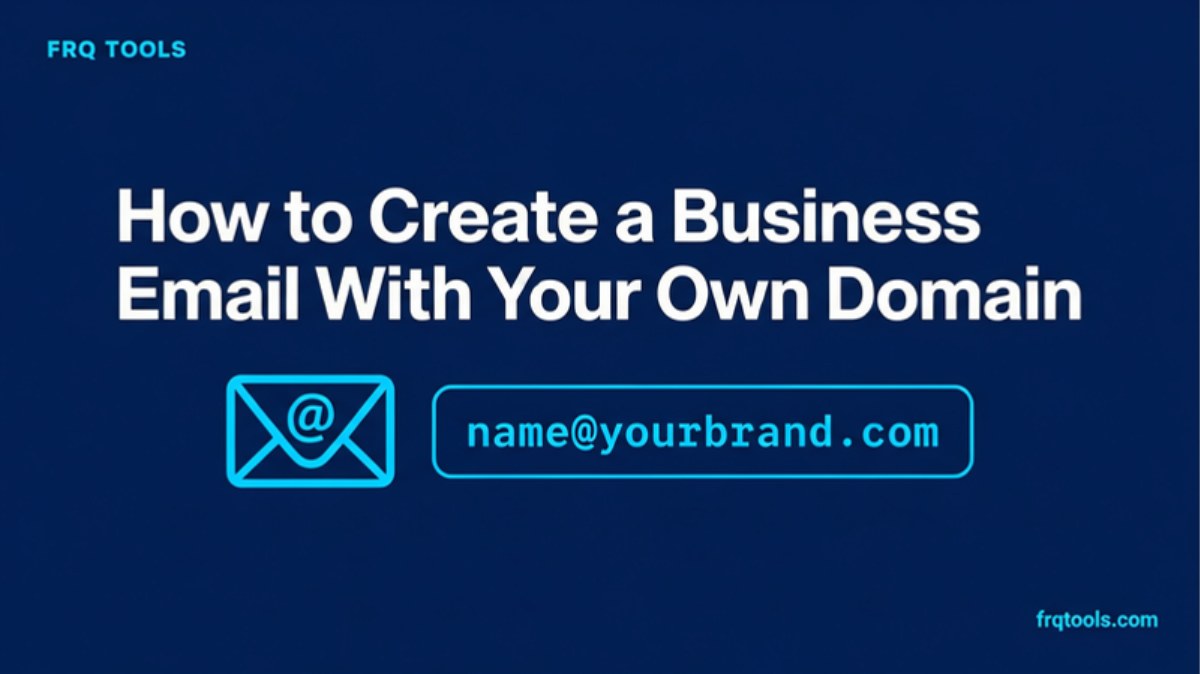
To create a business email with your own domain, you need a domain name and a plan that includes mailboxes. Buy both, connect the domain, create a mailbox like name@yourbrand.com, then add it to your phone or Gmail. It takes about an hour, plus up to 24 hours for the domain to connect.
Step 1: get your website a home. This site has run on Hostinger since 2023. A plan there gives you your domain and your first mailboxes in one cart. Our link takes 20% off your first order: Get started with Hostinger
Some links on this page are affiliate links. If you buy through them, I may earn a commission at no extra cost to you. Read our affiliate disclosure. The 20% is for first-ever Hostinger purchases only.
I am Fazal, and I build websites, tools and systems for small businesses from Lahore. Almost every new client asks me the same thing: "Can I stop using Gmail for my shop?" Yes, you can. This guide shows the path in plain steps. I explain each word the first time it appears.
What do you need to create a business email with your own domain?
You need two things. First, a domain name. This is your address on the internet, like yourbrand.com. The part after the @ in your email is your domain. Second, a mailbox provider. This is the service that stores your emails and lets you send and receive them.
A free Gmail account cannot give you name@yourbrand.com by itself. Your domain has to be connected to a provider that offers mailboxes. Many web plans include a few mailboxes, so one purchase can cover your domain, your website and your email.
Why bother? An address like info@yourbrand.com tells a customer you are a real business. It is also yours. If you ever change provider, you keep the same address.
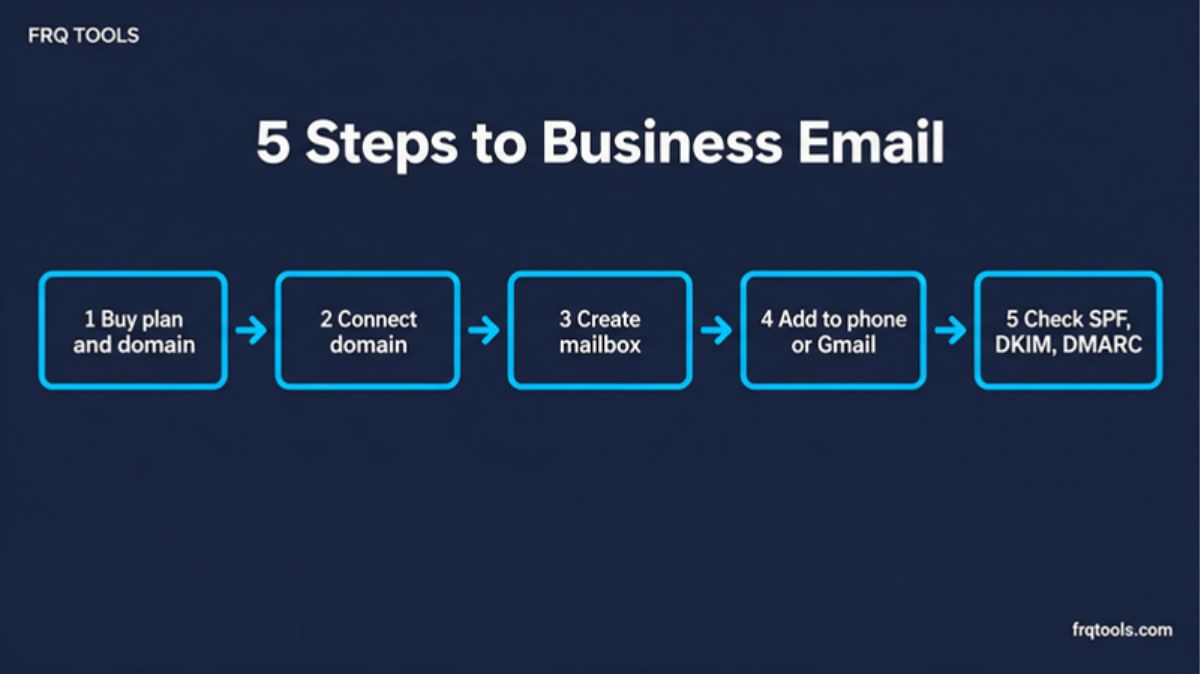
Step 1: How do you buy a domain and a plan with mailboxes?
This is the step most people put off. Until you own a domain, your business email is only an idea. Here is the order I would follow:
Open our Hostinger link. The 20% off your first-ever Hostinger order is applied through this link. If you already have Hostinger services, you will not get it.
Pick a plan from the table below. For one business and a few addresses, Premium is enough.
Choose 48 months if you can, because it gives the lowest price per month. Choose 12 months if you want to pay less today.
Pick your domain name. Hostinger's plan cards list a free domain for the first year, so check that your cart shows it.
Check the cart, decide on paid business email (see the section below), and pay.
Hostinger's page shows Visa, Mastercard and JazzCash, with more options on its payments page. It also shows a 30 day money-back guarantee.
Which plan should you pick?
These are the 48 month prices on Hostinger's Pakistan page on 18 November 2026, before the 20% referral discount. A time-limited sale was running, so read the price in your cart. The page did not show 12 or 24 month prices, so I do not quote them here.
| Plan | Email on the plan | Promo price | Renews at | Link |
|---|---|---|---|---|
| Premium | 2 mailboxes per website, free for 1 year | Rs.599/mo (Rs.28,752 for 48 months) | Rs.1,699/mo | Get this plan |
| Unlimited | Unlimited mailboxes per website, free for 1 year | Rs.699/mo (Rs.33,552 for 48 months) | Rs.2,299/mo | Get this plan |
| Cloud Startup | Unlimited mailboxes per website, free for 1 year | Rs.2,099/mo (Rs.100,752 for 48 months) | Rs.5,399/mo | Get this plan |
Read the renewal column. The low price is for the first term, and the plan renews higher after that. All plans are paid upfront, so you pay the whole term at once. Choose Premium for one business site and two or three addresses. Choose Unlimited if you have a team that needs many mailboxes or more than one site. Cloud Startup is for busy sites and online stores, so most people do not need it just for email.
Ready to buy? Pick your plan and domain with 20% off your first Hostinger order. Then come back here for Step 2.
Step 2: How do you connect your domain to email?
Connecting tells the internet that your domain's email should go to your new mailboxes. It is done with DNS records. DNS is the address book of the internet.
If you bought your domain and plan together at Hostinger and the domain uses Hostinger nameservers, this is simple. In the Hostinger dashboard, open Emails, then Mailboxes, then choose Connect domain and select Connect automatically. If your domain is registered somewhere else, you add the email DNS records at that provider by hand. Hostinger's guide says to allow up to 24 hours for the change to spread across the internet.
While you wait, do not panic if a test email does not arrive in the first hour. That is normal.
Step 3: How do you create your first mailbox?
In the Hostinger dashboard, go to Emails and open Mailboxes next to your domain. Click Add mailboxes, type the name that goes before the @, create a password and click Create. Repeat for each address.
Keep it small. Two or three addresses are enough for most small businesses:
Your own name: fazal@yourbrand.com, for personal replies.
info@ or sales@: the public address for your website and visiting cards.
orders@ or support@: only if you sell online.
Use a strong, different password for each mailbox. Your email is the key to every other account that sends you a reset link. Our guide on strong passwords for business accounts shows how to do it without forgetting them.
Step 4: How do you use your business email on your phone or in Gmail?
You have three easy ways to read and send mail.
| Way | How it works | Good for |
|---|---|---|
| Webmail in a browser | Hostinger says you can open your mailbox at mail.hostinger.com. Nothing to install. | Checking mail on any computer, fast. |
| A mail app on your phone | In the dashboard, open Emails, then Connect apps and devices. The page lists the settings for apps such as Apple Mail, Samsung Mail, Thunderbird and the Gmail mobile app. | Replying to customers on the go. |
| Your existing Gmail | Add the new address to Gmail with the Send mail as setting. You read and send from your usual inbox. | People who do not want a new inbox. |
What are the mail server settings?
If an app asks for settings, Hostinger's guide lists incoming mail (IMAP) as imap.hostinger.com, port 993 with SSL, and outgoing mail (SMTP) as smtp.hostinger.com, port 465 with SSL. Always check the Connect apps and devices page for the current values.
How do you send from your business address inside Gmail?
Google's help page for sending from a different address gives these steps. In Gmail, open Settings, then See all settings, then Accounts and import. Under Send mail as, click Add another email address. Enter your name and the new address, click Next Step, then Send verification. For a work address, Gmail asks for the SMTP server, username and password, so use the SMTP details above. Then open the confirmation email Gmail sends to your new mailbox and click the link.
After that, click the From line when you write a message and pick your business address. Google also notes that replies go to your Gmail address unless you set a reply-to address in the same area.
Step 5: What are SPF, DKIM and DMARC, and do you need them?
These are three small DNS records that prove your email really comes from you. Without them, your messages are more likely to land in spam.
SPF lists the servers allowed to send mail for your domain. Google's page says SPF "helps prevent your outgoing email from being marked as spam by receiving email servers."
DKIM adds a digital signature to each message, so the receiver can check it was not changed.
DMARC tells receivers what to do when a message fails those checks.
Google's SPF setup page says all senders must set up SPF or DKIM, and that senders of more than 5,000 messages a day must set up SPF, DKIM and DMARC. It also recommends setting up all three. Hostinger's guide says these records can be configured automatically when your domain uses Hostinger nameservers. So after connecting your domain, send a test email to a Gmail address and check it reaches the inbox, not spam.
Should you pay for Premium Business email?
You may not need to at first. The mailboxes that come with your plan work for a new business. But Hostinger also sells Business email as a separate product. Its page says email hosting is a separate service from web hosting. For a business, I suggest adding Premium Business email at checkout. It looks professional, and it gives each mailbox much more room.
These prices are per mailbox, for 48 months, from Hostinger's Pakistan business email page on 18 November 2026:
| Option | What you get | Promo price | Renews at |
|---|---|---|---|
| Mailboxes on your plan | Premium: 2 per website. Unlimited and Cloud Startup: unlimited per website. Free for 1 year. | Included | Not stated on the page |
| Business email Starter | 5 GB per mailbox, 5 aliases | Rs.99/mo (Rs.4,752 for 48 months) | Rs.299/mo |
| Business email Standard | 20 GB per mailbox, 10 aliases | Rs.199/mo (Rs.9,552 for 48 months) | Rs.399/mo |
| Business email Premium | 50 GB per mailbox, 30 aliases, free domain for 1 year | Rs.299/mo (Rs.14,352 for 48 months) | Rs.699/mo |
An alias is an extra address that delivers to the same mailbox, such as sales@ and info@ both reaching you. The page also showed a limited deal: buy two mailboxes and get a third free on terms of 12 months or longer.
My simple rule: if money is tight, start with the mailboxes on your plan and upgrade later. If email is how you win customers, add Premium Business email now. It is the plan with the most storage and the most aliases.
What are the honest limits?
Four limits are worth saying out loud. First, the low prices are for the first term, and renewal is higher, as the tables show. Second, plans are paid upfront, so you pay the full term at once. Third, the 20% discount is only for your first-ever Hostinger purchase. Fourth, the free mailboxes and free domain on the plan cards are free for one year, then they renew at normal prices. Hostinger's page also does not state the mailbox size on hosting plans, so check before you rely on one for heavy attachments.
For my own experience, frqtools.com has run on Hostinger shared hosting since September 2023, with this site and several subdomains on one account. My full view, renewal prices included, is in the Hostinger review for Pakistan.
What should you do today?
Do Step 1 now. Choose a plan, pick your domain and pay. Everything else in this guide takes minutes once the domain is yours: connect it, create two mailboxes, add them to your phone, and send a test email.
Ready to start? Buy your first plan through our link and get 20% off your first Hostinger order. Choose 48 months for the lowest monthly price, or 12 months to pay less now.
If you would rather have a custom website, a CRM or an automation built for your business, contact us and tell me what you need. You can also see our website development service.
Related reading
Want this built for your business?
Tell us what slows you down. We reply on WhatsApp within an hour with a plan and a fixed price.