Send Bulk WhatsApp Messages Without Getting Banned
You cannot make bulk WhatsApp sending 100% safe, but you can make a ban much less likely. Message only people who know your business, warm up new numbers slowly, keep gaps between messages, set a daily limit, and never use your main business number for a big campaign. Most bans come from people blocking or reporting you, not from the tool itself.
I build CRMs, WhatsApp follow-up systems and desktop tools for small businesses in Pakistan and the Gulf. The question I hear most is simple: "How do I send to my whole list without losing my number?" This guide gives the honest answer, the habits that actually lower the risk, and how we built those habits into FRQ Reach, our Windows app for bulk WhatsApp sending.
Why does WhatsApp ban numbers that send bulk messages?
WhatsApp is built for personal chats. Its own Terms of Service list bulk messaging and auto-messaging as things you should not do on the normal app. So any bulk tool that runs on a regular WhatsApp or WhatsApp Business number carries some risk. Anyone who tells you their tool is "ban-proof" is not being honest with you.
In practice, WhatsApp watches signals. The WhatsApp Business Messaging Policy says users can block or report businesses, and that a lot of negative feedback can lead to limits or loss of access. It also says you should only message people who gave you permission, and you must stop when someone asks you to.
So the main triggers are easy to understand:
Blocks and reports. If many people block you after one campaign, that is the loudest warning sign.
Sending like a robot. Hundreds of identical messages, one every second, from a number that was created yesterday.
Cold lists. Bought or scraped numbers of people who never heard of you.
Same text to everyone. Exactly the same words, hundreds of times in a row.
What actually lowers the ban risk?
Here is how the common habits compare. The risk levels are my judgement from client work, not official numbers. WhatsApp does not publish its limits.
| Habit | Risky way | Safer way |
|---|---|---|
| Who you message | Bought or scraped lists | Customers and leads who contacted you first |
| Which number | Your main business number | A separate number used only for campaigns |
| New numbers | Full campaign on day one | Small, slow start that grows over about two weeks |
| Speed | One message every second | Random gaps, plus short breaks |
| Daily volume | No limit | A daily cap per number |
| Message text | Same words for everyone | Name in the message, plus a few wording variations |
| Opt-out | Ignoring "stop" | Removing that person straight away |
1. Message people who already know you
This one rule matters more than any tool setting. People who bought from you, asked you a question, or filled your form rarely report you. Strangers do. If your list is cold, the safest move is not to send to it at all.
2. Keep a separate number for campaigns
Your main number holds your customer chats and your reputation. Do not put it at risk. Use a second number for bulk sends, so if something goes wrong, your daily business keeps running.
3. Warm up new numbers slowly
A brand new number that suddenly sends 500 messages looks like spam. Start with a small number of messages a day, mostly to people who will reply, and raise the amount step by step over about two weeks.
4. Add random gaps and a daily limit
Real people do not send a message every second. Random delays between messages, plus short breaks, make your sending look more human. A daily limit stops one big list from going out all at once.
5. Make every message a little different
Put the person's name in the message. Then use small wording changes, for example "Hi", "Salam" or "Hello" at the start. The same exact text sent 1,000 times is an easy pattern to spot.
6. Clean your list first
Wrong numbers and landlines waste sends and hurt your sending pattern. Put every number in one clean international format with our free Phone Number Formatter. For a WhatsApp list, Pakistani numbers should look like 923001234567.
A safer campaign, step by step1. Clean list of people who know you2. Separate number, not your main one3. Warm up new numbers over ~2 weeks4. Random gaps, breaks and a daily limit5. Name in message, varied wording6. Remove anyone who says stopHow does FRQ Reach help you send more safely?
We built FRQ Reach because most bulk senders we tested leave these habits to the user. In FRQ Reach, the safety settings are on by default. Here is what it does, taken from the product page:
Random delays, breaks and sending hours, so messages do not go out at robot speed.
Daily limits per campaign, so one big list cannot flood a number.
Number warm-up on a 14-day schedule for new numbers (Pro and Agency plans).
Message variations like {Hi|Salam|Hello}, plus a {name} field to personalise each message (paid plans).
Number checking that tells you which contacts are actually on WhatsApp before you send (paid plans).
Number rotation on the Agency plan, which spreads one campaign across several numbers.
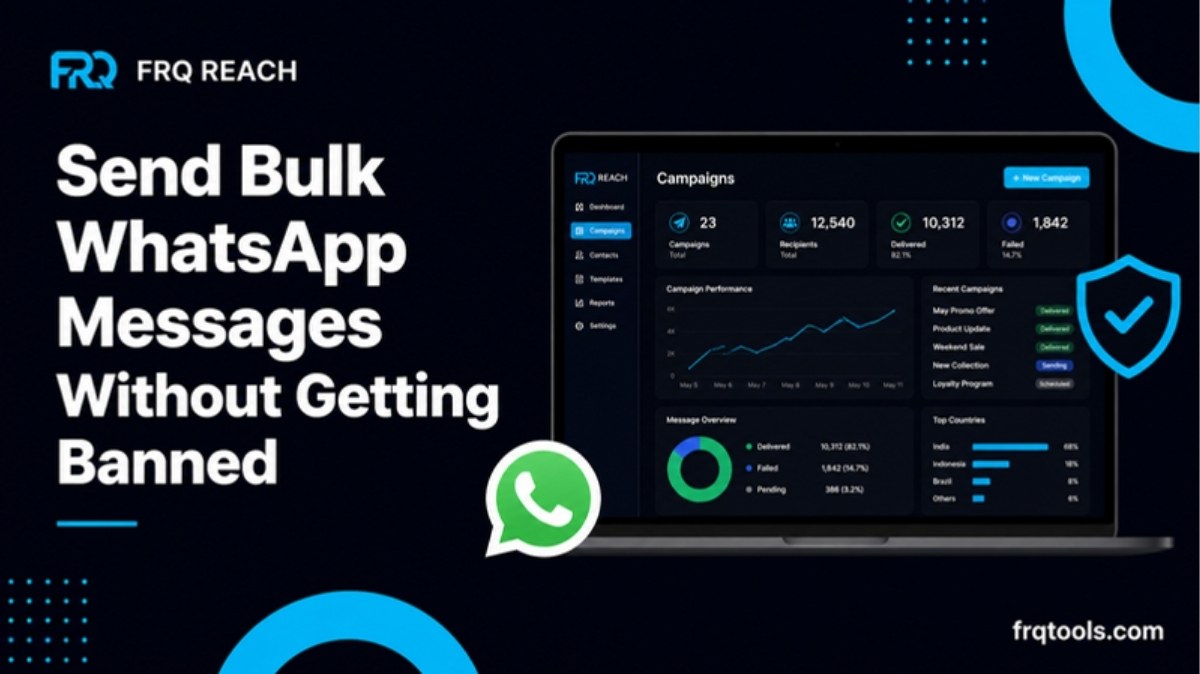
It also does the practical work: import contacts from Excel or CSV, send text, images, videos and files, schedule campaigns, set auto-reply rules, and link up to 10 numbers by QR code. The dashboard shows sent, delivered and read counts, plus the reason if a campaign stops.
Your data stays on your own PC. Contacts and campaigns are not uploaded to a cloud panel. Only the license key is checked with our server.
We say this on the product page too, and we mean it: these settings lower the risk, they do not remove it. FRQ Reach is an independent product and is not made or approved by WhatsApp or Meta.
FRQ Reach plans
| Plan | Price per month | Numbers | Best for |
|---|---|---|---|
| Free trial | Free for 3 days | 1 | Testing, 20 messages a day |
| Starter | $9 or PKR 2,500 | 1 | A shop with one number |
| Pro | $19 or PKR 5,000 | 3 | Warm-up, scheduling, grabbers, auto-reply |
| Agency | $39 or PKR 10,000 | 10 | Number rotation and priority support |
Plans do not renew on their own. Yearly payment gets two months free, and you can pay by card, JazzCash, Easypaisa or bank transfer. The first 10 buyers get Pro at the Starter price for as long as they stay subscribed. Full details are on the FRQ Reach plans section.
When should you use the official WhatsApp API instead?
If you send to thousands of people every week, or you need zero ban risk for a big brand, the official WhatsApp Business Platform (the API) is the right path. It is built for business messaging, but you pay Meta per message and you need approved templates for messages outside the 24-hour reply window. I explained the new costs in WhatsApp service message charges: what changed in 2026.
For a small business sending offers and reminders to its own customers, a desktop tool with safe defaults is usually the cheaper and simpler choice. Here is a quick way to decide.
| Your situation | Better fit |
|---|---|
| A few hundred customers, offers and reminders | FRQ Reach on a separate number |
| No internet on the customer side, or WhatsApp not used | SMS with FRQ SMS Sender (free Android app) |
| Thousands of messages a week, big brand, strict rules | Official WhatsApp API |
What should you do if your number gets banned?
Stop sending from that number straight away. Do not move the same list to a new number and repeat the same pattern, because the same result will follow. Open WhatsApp, follow the review request it shows, and explain plainly how you use the number. While you wait, ask what went wrong: was the list cold, was the number new, or was the speed too high? Fix that before the next campaign.
This is also why we tell every client to keep the campaign number separate. A ban on a campaign number is an annoyance. A ban on your main number can stop your business for days.
A simple checklist before every campaign
Is every person on this list someone who knows my business?
Is the list clean and in one format, with duplicates removed?
Am I using the campaign number, not my main number?
If the number is new, is it warmed up?
Are random gaps and a daily limit switched on?
Does the message use the person's name and a few wording variations?
Does the message tell people how to stop receiving messages?
If you want to see these settings in action, download the FRQ Reach free trial. It runs on Windows 10 or 11 for 3 days, with no card and no sign-up. The install guide walks you through linking your number.
If you need something bigger, like WhatsApp sending connected to your own CRM or Google Sheet, contact me about custom CRM and business automation work.
Related reading
Want this built for your business?
Tell us what slows you down. We reply on WhatsApp within an hour with a plan and a fixed price.