
On this page
- What does it mean to be on Google?
- Can every business get a Google Business Profile?
- How do you add your business to Google step by step?
- How do you verify your business on Google?
- How long before people find you?
- Why should you add a website after your profile?
- Step 1 of your website: which plan should you buy?
- Step 5: How do you build the simple website?
- What is the right order?
- Quick answers
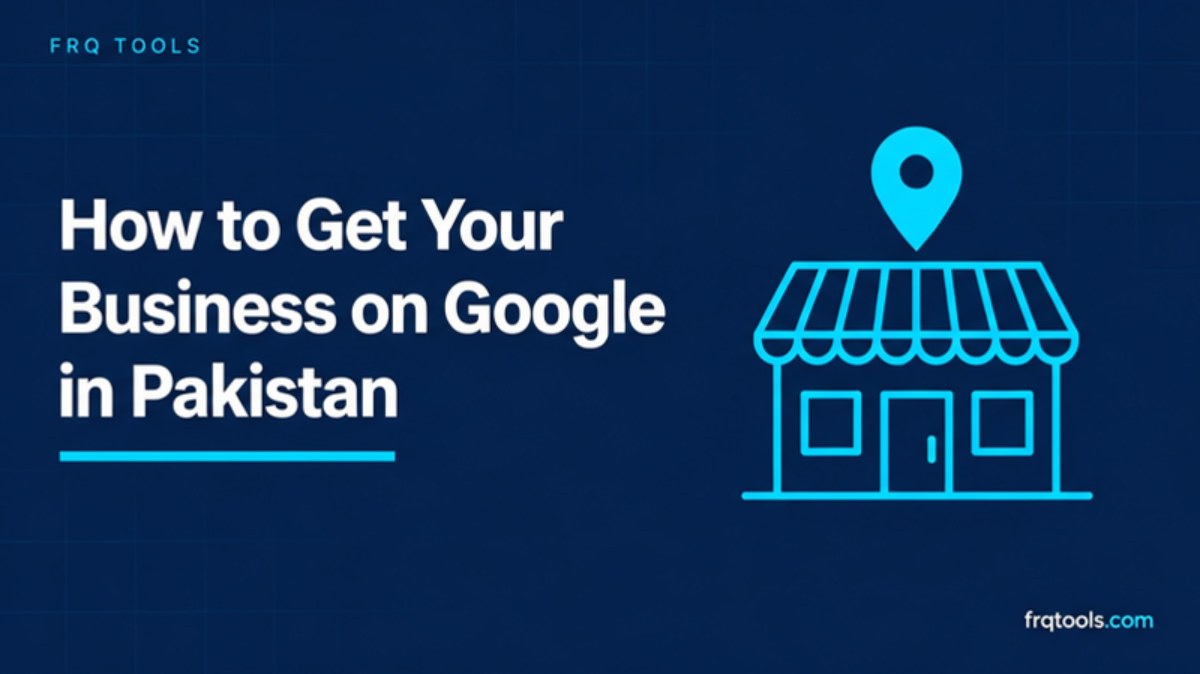
To get your business on Google in Pakistan, create a free Google Business Profile, add your name, category, phone number and location or service area, and verify it. Then add a simple website so people can learn more and trust you. This guide shows each step in plain words.
Step 1: get your website a home. This site has run on Hostinger since 2023. Our link takes 20% off your first-ever Hostinger order: Get started with Hostinger
Some links on this page are affiliate links. If you buy through them, I may earn a commission at no extra cost to you. Read the affiliate disclosure.
Why is a website "Step 1" in a post about Google? The Google listing is free and quick, and you should do it today. But a listing only gives people a name and a phone number. A website gives them proof, prices and a way to reach you that you own. I explain the order below, so you do not waste a week.
What does it mean to be on Google?
When people search for "mobile repair near me" or "tailor in Johar Town", Google shows a map with a few businesses. Each one has a small card with a name, phone number, address, opening hours and photos. That card is a Google Business Profile. It was called Google My Business before.
Google says you can add or claim your business on it at no charge. So the first part of this job costs nothing. You only need a Google Account and about 20 minutes.
Is a Business Profile the same as a website?
No. They are two different things. The profile lives on Google. A website lives on your own domain, like yourshop.com. You can have one without the other, but they help each other. The profile gets you found. The website helps people decide.
Can every business get a Google Business Profile?
Not every business. According to Google's help page, a profile suits businesses that meet customers in person during business hours, such as shops, clinics and salons. It also suits service businesses that go to customers, such as plumbers or tutors. Google says online-only businesses are not eligible, and it points them to Google Ads instead.
So ask yourself one question. Do customers meet you, or do you visit them? If yes, you can very likely get a profile. If you sell only through Instagram or a website with no place and no visits, a profile is not for you. In that case, jump to the website part of this guide.
| Type of business | Example | Can it get a profile? |
|---|---|---|
| Shop or office with a storefront | Mobile shop, clinic, salon, academy | Yes, add your address |
| Service business that visits customers | Plumber, electrician, home tutor | Yes, choose a service area instead of an address |
| Online only, no place and no visits | Instagram store, dropshipping | No, per Google's help page |
How do you add your business to Google step by step?
Here is the path, based on Google's own sign up guide. Google may change the screens, so follow what you see if a button looks different.
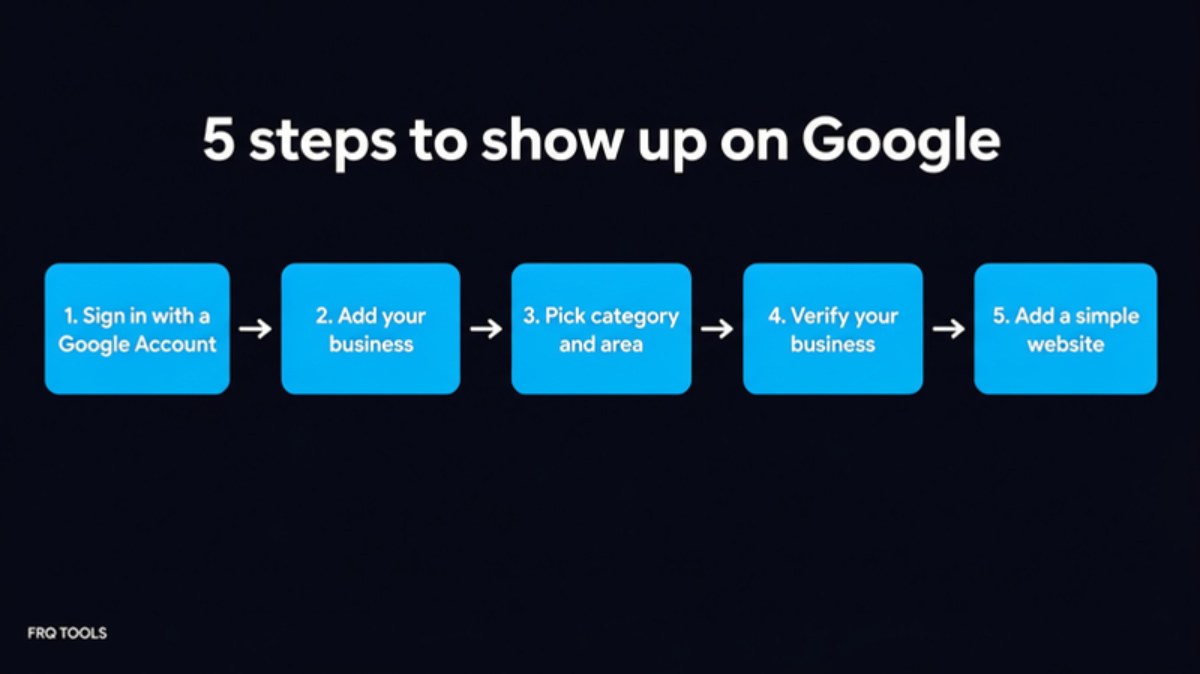
Step 1: Sign in with a Google Account
Google suggests using an account made for the business, ideally with your business email. A personal Gmail works to begin with. But if you later hire help or sell the shop, a business account is easier to hand over. If you do not have a business email yet, my guide on how to create a business email with your own domain shows how.
Step 2: Add your business name and category
Go to business.google.com/create. Enter your business name exactly as it appears on your shop board. Then pick a category, such as "Mobile phone repair shop". The category matters because it tells Google what you do. Pick the most exact one, not a broad one.
Step 3: Add your address or your service area
Google asks if you have a storefront that is staffed during business hours. If you do, enter the address and place the map marker. If you do not, skip the address and add a service area instead. Google lets you add up to 20 service areas and advises not to go beyond about two hours of driving from your base.
If your business works from home, you can hide your address. Google says a business without a storefront that already published its address must hide it in the profile settings.
Step 4: Add your phone number and website
Enter the phone number customers should call. Add a website if you have one. If you do not, you can leave it for now and add it later, which is exactly why Step 5 below matters.
One rule to remember: Google allows only one profile per metropolitan area for a business. The page warns that making several profiles for the same business in the same city can get your account suspended. So do not create a second profile if the first one is stuck. Fix the first one instead.
How do you verify your business on Google?
After you finish, Google asks you to verify. You can choose "Verify now" or "Verify later". Do it now. Google's verification page says you need to verify to edit your business info and to interact with customers. And Google's "find your business" page says only verified businesses show their info on Maps and Search.
You do not choose the method. Google's page says the options are decided automatically, based on your business type and other details. Here are the ones it lists.
| Method | How it works | Good to know |
|---|---|---|
| Phone or text | Google sends a code to your business number | A phone menu system (IVR) cannot receive it |
| You follow the steps in an email | Use an address you can open right now | |
| Live video call | You show your place and proof you manage it | Only in business hours, not for all businesses |
| Postcard by mail | Google mails a 5 digit code to your address | Not for all businesses; most codes arrive within 14 days |
What should you avoid while you wait?
If you get a postcard, Google gives clear rules. The code expires after 30 days. Do not change your business name, address or category while you wait, or the code may not work. Do not ask for a new code, because that makes the old one invalid and can slow things down. And remember, Google will never ask you for your verification code. If someone calls and asks for it, it is a scam.
After you submit the steps, Google says review can take up to 5 business days. So be patient and check your email.
How long before people find you?
Not on day one. Google says rankings for a new business can take up to a month to appear, and edits can take up to 3 days to show. That is normal. In the meantime, fill your profile properly: opening hours, a clear description, a few real photos of your shop and products, and a phone number someone actually answers.
Do not pay anyone who promises to put you "number 1 on Google" in a few days. Nobody can promise that. A real profile, honest photos and happy customers are what work over time.
Why should you add a website after your profile?
Your profile answers "where are you and when are you open?" It does not answer "can I trust you?" or "what do you charge?" A simple website does that. Think of five pages: Home, Services or Products, About, Contact, and prices if you can share them. Google lets you put your website link on your profile, so people go from the map straight to your page.
A website also protects you. A Google listing is not yours. If Google suspends it, you lose it. Your own domain and your own site stay yours. And a site lets you use a business email like name@yourbrand.com, which looks far better than a Gmail address when you write to a customer.
Ready to give your business a home online? Our link takes 20% off your first-ever Hostinger order. Get started with Hostinger
Step 1 of your website: which plan should you buy?
This site, frqtools.com, has run on Hostinger shared hosting since September 2023, and I build and run my tools, store and blog on it. So I can tell you how I would pick, in plain terms. Here are the plans offered through our link, as shown on Hostinger's Pakistan page on 22 November 2026.
| Plan | Best for | Price per month on 48 months | Renews at, per month | Link |
|---|---|---|---|---|
| Premium | One simple business site or blog (up to 3 websites) | Rs.599 | Rs.1,699 | Get this plan |
| Unlimited | More than one site, or a site you expect to grow | Rs.699 | Rs.2,299 | Get this plan |
| Cloud Startup | A busy site, a store or an agency | Rs.2,099 | Rs.5,399 | Get this plan |
Prices on that page are shown without VAT and are part of a sale with no end date shown, so they can change. These are before the 20% first-order discount from our link.
My simple advice
For one shop or clinic with a small website, Premium is enough. If you think you will add a second site, like a store, Unlimited gives you more room. Cloud Startup is for heavier use and costs a lot more, so most small shops do not need it on day one.
The 48 month term gives the lowest monthly price, so I recommend it first. Hostinger's page says all plans are paid upfront, which means you pay the full amount at the start. If that is too much right now, pick a shorter term at checkout, though the monthly price will be higher. The page I read only shows 48 month prices, so check the others at checkout.
Also add business email at checkout if you want name@yourbrand.com. It looks professional when you message customers. Plans list some free mailboxes for the first year, but check at checkout what your plan includes.
Honest limits
Do know the downsides before you buy. The price rises at renewal, as the table shows. The 20% discount is for your first-ever Hostinger purchase only, so people who already have Hostinger services do not get it. Shared plans are not for very heavy sites. And Hostinger says unlimited features follow its Fair Usage Policy. Paying upfront for years is a real commitment, so make sure your business plan is serious.
If you want to compare the cost of everything, read how much a website costs in Pakistan. If you are choosing a name, see how to choose a domain name for your business.
Step 5: How do you build the simple website?
After you buy, you can build the site yourself or get help. My longer guide, how to make a website for your business, walks through this for beginners. If you are starting from nothing, how to start an online business in Pakistan shows where the website fits in the bigger path.
Keep it light. Photos from your phone are fine, but make them small so the site loads fast. The free Smart Image Compressor shrinks them in your browser. Put your address, phone number and opening hours on the Contact page exactly as they appear on your Google profile. When they match everywhere, customers and Google both trust you more.
What is the right order?
Do the free thing first, then the lasting thing. Today, create and verify your Google Business Profile. While you wait for the code, buy your domain and plan and build your five pages. When Google approves your profile, add your website link to it.
If you would rather not build it yourself, I offer professional website development for small businesses.
Quick answers
Is a Google Business Profile free?
Yes. Google says you can add or claim your business at no charge. Anyone asking for money to "register you on Google" is selling a service, not a fee Google charges.
Can I get on Google without a website?
Yes, if you are a qualifying business. The website is optional for the profile. But it helps people trust you and gives you a place that Google cannot take away.
Does Google check that my shop is real?
Yes. That is what verification is for. Be ready with your real phone, email, address or a video call.
Ready to take the first step? Our link takes 20% off your first-ever Hostinger order: Get started with Hostinger. Do your Google profile today, and your website this week.
Need a custom CRM, automation or a website built for your business? Contact us and tell me what you want to fix.
Sources
Related reading
Want this built for your business?
Tell us what slows you down. We reply on WhatsApp within an hour with a plan and a fixed price.