Send Bulk SMS From Excel: Import and Personalise
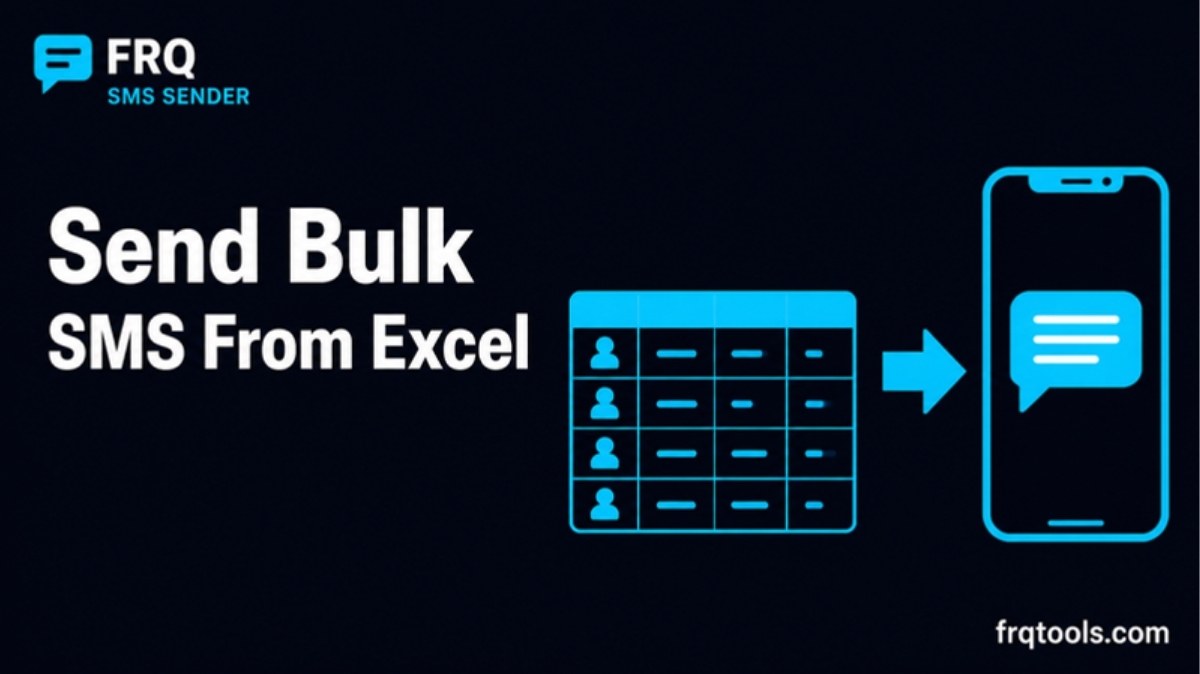
Can you send bulk SMS from Excel? Yes. Save your contact list as an .xlsx or .csv file with a Name column and a Phone column. Import it into a bulk SMS app on your Android phone. Write one message, add a tag like {first_name}, and send. The messages leave from your own SIM.
I build tools and CRM systems for small businesses in Lahore. Almost every shop, clinic and academy I meet already keeps its customer list in Excel. This guide shows how to turn that sheet into personal messages, and where people usually go wrong.
How do you send bulk SMS from Excel on an Android phone?
You need an app that can read your file. FRQ SMS Sender is a free Android app that does this. I built it. It works on Android 7.0 or newer and you get it from Google Play. Here are the steps.
Five steps to send bulk SMS from an Excel file1Clean the sheet in ExcelHeader row, Name and Phone columns2Save as .xlsx or .csvSend the file to your phone3Import into a groupColumns found for you, duplicates caught4Write the messageAdd {first_name}, check the live preview5Send and check resultsSent, delivered, failed, resend failedFRQ Tools. Steps for FRQ SMS Sender on Android.The whole flow from Excel to delivered messages.Before step 1, install the app and set it as your default SMS app when Android asks. Android only lets the default SMS app send messages in bulk, save them in your inbox and track their status. You can switch back to your old SMS app any time. My guide on sending bulk SMS from an Android phone for free explains this in more detail.
How should you set up the Excel sheet?
Keep it simple. The app needs a header row and two columns, like Name and Phone. It finds headers such as Name, Phone, Number or Tel for you. Extra columns do no harm, but you do not need them.
| Name | Phone | Note |
|---|---|---|
| Ayesha Khan | 0300 0000001 | Good: one name, one number |
| Bilal Ahmed | 0321 0000002 | Good |
| Bilal Ahmed | 0321 0000002 | Duplicate, he would get two messages |
| Sana | (blank) | No number, nothing can be sent |
The numbers above are made up, only to show the layout. Here are the habits that save you trouble.
Use the full name in the Name column. The app can split it into {first_name}, {last_name} and {full_name} for you.
Keep one number per row. If a customer has two numbers, make two rows.
Check the leading zero. Excel often treats a phone number as a plain number and drops the first 0. Format the Phone column as Text before you paste numbers in, then look at a few rows.
Remove blank rows and notes placed above the header. The header must be the first row.
If your list is messy, clean it first with the free Phone Number Formatter. It fixes formats like 0300 and +92, removes duplicates and exports a clean CSV. My guide on converting phone numbers to international format shows the steps.
How do you save the file as xlsx or CSV?
An .xlsx file is a normal Excel workbook, so you can simply keep it as it is. If you prefer CSV, use File, Save As, and pick a CSV type. Microsoft's help page on saving a workbook in another file format says a CSV keeps only the active sheet and loses all formatting. So put your contact list on the sheet you are looking at when you save.
Names in Urdu script are a special case. If your CSV shows broken characters when you open it, save the list as .xlsx instead. Then send the file to your phone by WhatsApp, email or a USB cable, and open it from the app.
How do you personalise each message?
This is the part that makes bulk SMS feel personal. In the message box you write a tag, and the app swaps in each person's details. FRQ SMS Sender supports {first_name}, {last_name} and {full_name}, and shows a live preview before you send.
| You write | Ayesha Khan receives |
|---|---|
| Hello {first_name}, your order is ready. | Hello Ayesha, your order is ready. |
| Dear {full_name}, your fee is due on Friday. | Dear Ayesha Khan, your fee is due on Friday. |
| Mr/Ms {last_name}, your appointment is tomorrow. | Mr/Ms Khan, your appointment is tomorrow. |
Always read the preview for two or three rows. A name with only one word, like Sana above, shows you quickly how your sentence looks when the last name is empty.
How long can the message be?
One SMS is not unlimited. Wikipedia's SMS article lists the limits. A message in the basic 7-bit alphabet holds 160 characters. A message with non-basic characters uses the 16-bit kind and holds only 70. Longer messages are split into parts, and each part holds a little less: 153 for 7-bit and 67 for 16-bit. Messages in Urdu script normally use the 16-bit kind.
Bar chart: characters that fit in one SMS partCharacters in one SMSEnglish, single160English, each part of a long one153Urdu script, single70Urdu script, each part of a long one67Bars drawn to scale. Source: Wikipedia, SMS.Remember that {first_name} adds characters too. A long name can push a message into a second part. Keep your text short and put the important words first.
What goes wrong when you import from Excel?
| Problem | Likely cause | Fix |
|---|---|---|
| Numbers start with 300 instead of 0300 | Excel dropped the leading zero | Format the Phone column as Text and enter the numbers again |
| Columns not found | No header row, or the header is far from the top | Put Name and Phone in row 1 |
| Same person gets two texts | Duplicate rows | Check the duplicates the app reports, or clean the list first |
| Many failed messages | Wrong numbers, no balance, or a carrier limit | Fix the list, then use one-tap resend for failed ones |
| Names show with wrong case | The sheet has ALL CAPS names | Fix the case in Excel with the PROPER function before importing |
How do you send without trouble from your mobile company?
Your SMS goes out from your own SIM, and carriers can have their own daily limits. The app lets you set a delay between messages and shows how many you sent today. If your phone has two SIMs, you choose which one sends each campaign. Start with a small test, for example your own number and two friends. Then send a first real batch of 50 and see how it goes before you send hundreds.
Message only people who expect to hear from you, like customers with orders, patients with appointments or students with fees. Say who you are in the text. This keeps complaints low and replies high.
What does it cost?
The app is free to download and use. It shows a few ads, and you can watch one short video to use it without ads for 24 hours. There is no panel, no credit top-up and no per-message fee from the app. The SMS themselves use your normal mobile package. Your list stays on your phone and is not uploaded to our servers.
What can you do after you send?
The app shows sent, delivered and failed counts and a status for each person. You can resend only the failed messages and save an HTML report. Templates and signatures help when you send the same kind of message every week. If you also want WhatsApp, read how to lower the ban risk when sending bulk WhatsApp messages. On a Windows computer, FRQ Reach is our desktop app for that.
Ready to try it?
Take the Excel list you already have, make a test sheet of three rows with your own number in it, and import it. You will see the whole flow in five minutes. Get FRQ SMS Sender on Google Play, or read the full details on the FRQ SMS Sender page.
If you want your Excel lists, reminders and follow ups to work together as one system, that is the work I do. Contact me about a custom CRM or business automation and tell me what you want to fix.
Related reading
Want this built for your business?
Tell us what slows you down. We reply on WhatsApp within an hour with a plan and a fixed price.