WhatsApp Number Warm Up: A 14-Day Plan for New Numbers
A WhatsApp number warm up means using a new number slowly for about 14 days before you send anything in bulk. Start with a few chats with people who know you, raise the daily count step by step, and keep replies coming in. WhatsApp publishes no official numbers for this, so treat the plan below as a careful guide, not a rule.
I build tools and CRM systems for small businesses, and a new number that sends 300 messages on day one is the most common mistake I see. This guide gives you a simple 14-day plan, the warning signs to watch, and how FRQ Reach handles warm-up on a Windows PC.
One honest note first. WhatsApp's own terms do not allow bulk messaging on the normal app. A warm-up lowers your risk. It does not remove it, and no tool can promise a number will never be banned.
What is a WhatsApp number warm up?
A warm-up is a slow start. You treat a new WhatsApp number like a new employee: you give it small jobs first and more work later. In this time the number builds a normal history of chatting, receiving replies and being saved by real people.
The opposite is a number that is created in the morning and sends a big list by evening. To WhatsApp's systems, that looks very different from a real person.
Why does a new number need warming up?
WhatsApp does not publish the limits for the normal app, so nobody outside the company knows the exact rules. What we do know comes from its own pages.
The WhatsApp Terms of Service list bulk messaging and auto-messaging as impermissible communication. The same page says WhatsApp may disable or suspend an account that breaks its terms.
The WhatsApp Business Messaging Policy goes further. It says users can block or report businesses, and that WhatsApp's systems may limit how many messages a business can send based on that feedback. So the people you message are part of the risk. If many of them block you in the first days, you have a problem.
Meta's official API shows the same idea in a formal way. In its messaging limits guide, a new business portfolio starts with a limit of 250 people, and the limit only grows when you send high-quality messages. That is for the paid API, not the normal app. But it shows how WhatsApp thinks: start small, earn trust, then grow.
What does a 14-day warm-up plan look like?
Here is the plan I use as a starting point. These daily numbers are my own judgement from client work. They are not official WhatsApp limits, and a number can still be restricted even if you follow them. If you want a reference from the official side, the Superchat warm-up guide for the Business API advises keeping a new API number to about 150 messages a day for the first five days. That is a different channel, so I use lower numbers on the normal app.
| Days | What to do | Messages a day (my guide) |
|---|---|---|
| 1 to 2 | Use the number like a person. Chat with friends, family and staff who will reply. No lists. | 5 to 8 |
| 3 to 4 | Message existing customers who know you. Ask a question so they reply. | 12 to 15 |
| 5 to 6 | Send a short, useful message to a small group of warm contacts. | 20 to 25 |
| 7 to 8 | Add a second message type: a reminder, a thank you, or a new offer. | 35 to 45 |
| 9 to 10 | Start using your real campaign text, but in small batches. | 60 to 75 |
| 11 to 12 | Grow only if replies keep coming and nobody complains. | 90 to 105 |
| 13 to 14 | Reach your first working level. Stay there for a few days before going higher. | 125 to 150 |
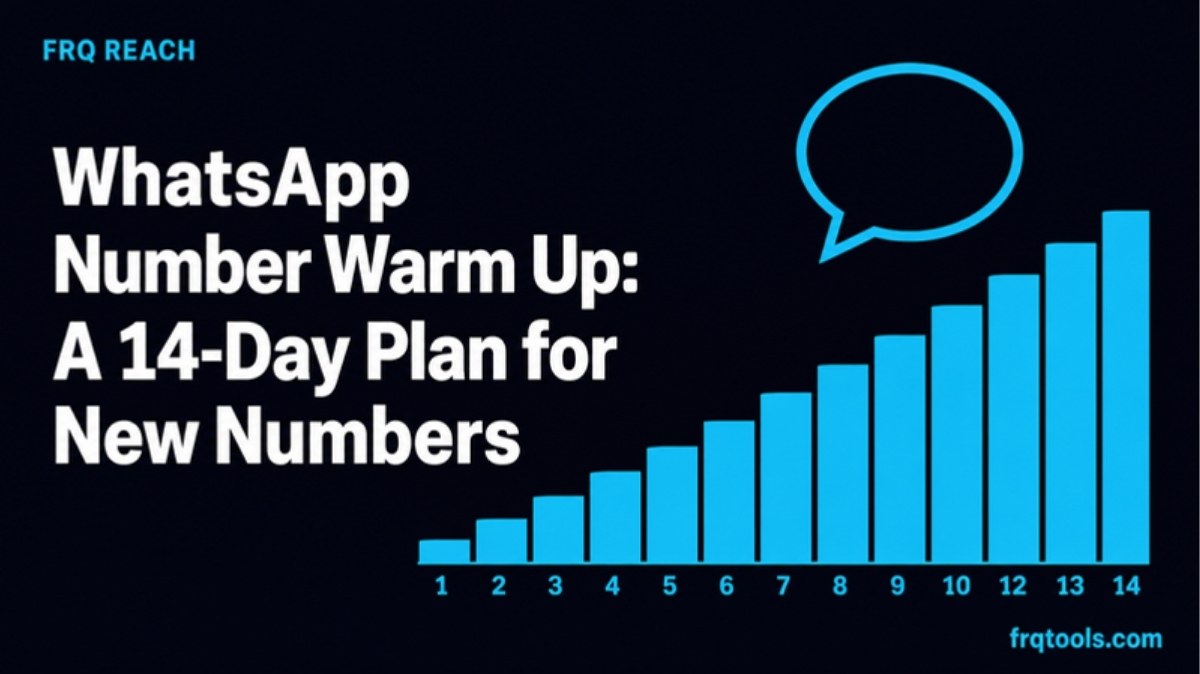
The chart below shows the same plan as a picture. Notice that the first week is gentle and the climb starts only after day seven.
Bar chart of a suggested 14-day WhatsApp number warm-up, from 5 messages on day 1 to 150 on day 14Suggested messages per day51501471013Day of warm-up. My own guide, not an official WhatsApp limit.Grey bars are days 1 to 6, dark bars days 7 to 10, cyan bars days 11 to 14.What should you send during warm-up?
The content matters as much as the count. Three habits help the most:
Send to people who will reply. Replies tell WhatsApp the chat is wanted. Try for at least one reply for every three messages you send.
Do not send the same text again and again. Change the first line, use the person's name, and keep messages short and useful.
Use only numbers that gave you permission. Old customers and people who messaged you first are safer than a bought list. A bought list is the fastest way to get blocked.
Why not warm up faster?
It is tempting to jump from 20 to 200 in one day because the first week went well. Do not. Raise your daily count by about a quarter at a time, and hold each level for a day or two. If something goes wrong, you will know which change caused it.
How do you know the warm-up is going wrong?
You cannot see a ban score, so you watch for signs. In my experience these are the ones that matter:
| Sign | What it may mean | What to do |
|---|---|---|
| Many messages stay on one tick for a long time | People are not receiving them, or the number is being slowed down | Stop bulk sending and chat normally for a few days |
| People reply "who is this?" or block you | Your list or your first line is wrong | Fix your list and your first sentence before you send more |
| The number is logged out of linked devices | Something looked unusual | Link again, go back to a lower daily count |
| A warning or restriction notice appears | WhatsApp has flagged the account | Stop bulk sending and follow the app's own steps |
The simple rule: when in doubt, step back one level, not forward. A slow week costs you little. A banned number costs you your chat history and your customers' trust.
Can FRQ Reach run the warm-up for you?
FRQ Reach is a Windows 10 or 11 app that sends WhatsApp and WhatsApp Business messages from your own PC. It has a built-in 14-day number warm-up, and it also has random delays between messages, breaks, sending hours and daily limits. These controls are on by default. Your linked numbers, contact lists and campaigns stay on your computer and are not uploaded to our servers.
Here is what is included in each plan today, from the product page:
| Plan | Price | Numbers | 14-day warm-up |
|---|---|---|---|
| Free trial (3 days) | Free, no card | 1 | No |
| Starter | $9 or PKR 2,500 a month | 1 | No |
| Pro | $19 or PKR 5,000 a month | 3 | Yes |
| Agency | $39 or PKR 10,000 a month | 10 | Yes |
Plans do not renew by themselves, so you are never charged without choosing to. You can pay by card, JazzCash, Easypaisa or bank transfer, and a year is two months free. The plans table always shows the latest details.
If you are on the free trial or Starter, follow the manual plan above. The trial sends up to 20 messages a day, which is also a gentle way to test your first campaign. When you are ready, start the free trial, read the install guide, or choose the Pro plan if you want the warm-up built in.
Please remember: FRQ Reach lowers risk, it does not remove it. It is an independent app by FRQ Tools. It is not made by, linked to or approved by WhatsApp or Meta.
What should you do before and after the warm-up in Pakistan and the Gulf?
Most lists I see from Lahore, Karachi and Dubai are messy. Numbers start with 0, with +92, or with spaces and dashes. A messy list sends messages to wrong or dead numbers, and that hurts you during warm-up.
Clean every number into one format. The free Phone Number Formatter does this in your browser, and my guide on converting phone numbers to international format explains why.
Use a separate number for campaigns, not your main business line.
Check which numbers are on WhatsApp before you send. FRQ Reach has a number check on paid plans.
Keep your own record of who replied, so your next message goes to the warmest people first.
What if you need more than WhatsApp can safely send?
Some messages do not need WhatsApp at all. A plain reminder to a long list can go as SMS from your own phone and SIM with FRQ SMS Sender. For a full look at ban risk, read my guide on sending bulk WhatsApp messages without getting banned. If you want large volume with official permission, the paid WhatsApp API is the proper route, and my post on WhatsApp service message charges explains what it costs.
A short warm-up checklist
Start with a fresh number and use it normally for two days.
Message only people who know you or asked to hear from you.
Raise the daily count slowly and hold each level.
Change your wording and use names.
Stop and step back at the first warning sign.
Need this built into your own system, such as a CRM that tracks every lead and follow-up? I do custom CRM and automation work for small businesses. Contact me here and tell me what you are trying to fix.
Related reading
Want this built for your business?
Tell us what slows you down. We reply on WhatsApp within an hour with a plan and a fixed price.