
On this page
- What should you check in a WASender alternative?
- Can any WASender alternative stop a ban?
- Where are your contacts and messages saved?
- Which features matter for daily work?
- How much does FRQ Reach cost?
- How do you move from WaSender to a new tool?
- When is FRQ Reach the wrong choice?
- What is the next step?
- Related reading
A good WASender alternative should do your daily sending job, keep ban-risk controls switched on, tell you where your contacts are stored, and let you test it before you pay. Check those four things first. If you used WaSender by FRQ Tools, the app we built after it is FRQ Reach.
One thing to clear up first. Several different products on the internet use the name WASender or something close to it. This post does not rate them. I am a solo founder in Lahore, I build these tools, and WaSender by FRQ Tools was the bulk sender we sold and supported before we built FRQ Reach. So yes, I have an interest here. The checklist below works for any tool, including mine.
What should you check in a WASender alternative?
Do not start with the feature list. Start with your own week. Write down who you message, how many people, how often, and from how many numbers. Then check each tool against that.
| Check | Question to ask | Warning sign |
|---|---|---|
| Ban risk | Are delays and daily limits on by default? | The seller says "ban-proof" |
| Your data | Where are my contacts saved? | No clear answer |
| Daily work | Can it import my Excel file and add names? | You must type numbers one by one |
| Free test | Can I try it on my own PC first? | Pay first, test later |
| Total price | What do I pay per month and per number? | Price only on chat |
| New PC | Can I move my license? | License is tied to one PC forever |
| Refund | What happens if it does not work? | No written refund rule |
| Reviews | Which product are the reviews about? | Old or unrelated reviews shown as new |
Can any WASender alternative stop a ban?
No. No tool can promise that. WhatsApp's own Terms of Service say you must not use the service for bulk messaging or auto-messaging, or for non-personal use that WhatsApp has not allowed. They also say WhatsApp may suspend or end your access if you break the terms.
So a bulk sender on a normal WhatsApp or WhatsApp Business number always carries some risk. A good tool can lower that risk. It cannot remove it.
Which controls lower the risk?
Random delays. Messages do not go out at the same fixed speed.
Breaks and sending hours. The app pauses and does not send all night.
Daily limits. One big list cannot go out in one rush.
Number warm-up. A new number starts small and grows slowly.
Message variations. Not everyone gets exactly the same words.
What no setting can fix
Settings do not make a stranger want your message. The WhatsApp Business Messaging Policy says you may only contact people who gave you their number and agreed to get your messages. It also says you must respect every request to stop. Treat that as your first rule: message your own customers, and remove anyone who says no.
Use a separate number for bulk sending. Never risk the main number your business depends on. I explain these habits in detail in how to send bulk WhatsApp messages without getting banned.
Where are your contacts and messages saved?
Your customer list is one of the most valuable things your business owns. Before you load it into any tool, ask where it goes. Is it saved on your computer, or uploaded to a company's server (often called a "cloud panel")?
FRQ Reach saves linked numbers, contact lists and campaigns on your PC. They are not uploaded. The app checks your license key with FRQ Tools, and there is no cloud panel.
Is it an app or a browser extension?
An extension is a small add-on inside your web browser. If a sender is an extension, read the permission warning before you click install. Google's help page on permissions requested by apps and extensions explains that access to your data on all websites lets an extension read or change data on every page you visit. The warning does not prove an extension is bad. It tells you how much trust you are giving.
Check desktop apps too
A desktop app also needs trust. Download it only from the maker's own page. Windows has a safety feature called SmartScreen. Microsoft says Microsoft Defender SmartScreen shows a warning when a downloaded file is not yet well known.
FRQ Reach is not signed with a paid certificate yet, so you may see the "Windows protected your PC" box. Our install guide shows the More info and Run anyway steps. One honest limit: if your PC has Smart App Control switched on, it blocks unsigned apps and gives no Run anyway button. We do not ask you to turn off any Windows security setting or your antivirus.
Which features matter for daily work?
Pick the features you will use every week. A long list of extras does not help if the basic job is slow.
Import and personal names
Your list is probably in Excel. FRQ Reach imports Excel and CSV files (CSV is a simple table file). You write {name} in your message and each person gets their own name. You can send text, images, videos and files.
Clean numbers
Wrong numbers waste your daily limit. Put your numbers in one format with our free Phone Number Formatter. Paid FRQ Reach plans can also check which numbers are on WhatsApp before you send.
Groups, replies and timing
Grabbers (tools that collect numbers) work on paid plans, for group members, chat lists and phone contacts. Some large announcement groups hide member numbers. See safe ways to extract numbers from a WhatsApp group. A number from a group is not the same as permission to message it.
Scheduled campaigns and auto-reply are on Pro and Agency. Your PC must be on and online while they run. Read how to schedule WhatsApp messages on PC.
Number warm-up on a 14-day schedule is on Pro and Agency. Our warm-up plan for new numbers shows the idea by hand.
Number rotation, which spreads one campaign over many numbers, is on Agency only.
How much does FRQ Reach cost?
These are the prices on the product page on the day this post was written. Check the current plans before you pay.
| Plan | Price per month | Numbers | Good for | Start |
|---|---|---|---|---|
| Free trial | Free for 3 days | 1 | Testing, 20 messages a day | Download |
| Starter | $9 or PKR 2,500 | 1 | One shop, simple campaigns | Buy Starter |
| Pro | $19 or PKR 5,000 | 3 | Warm-up, scheduling, auto-reply | Buy Pro |
| Agency | $39 or PKR 10,000 | 10 | Number rotation, priority support | Buy Agency |
The page also shows a founding offer: the first 10 buyers get Pro for the Starter price for as long as they stay subscribed. It may be gone when you read this. Pay for a year and you get 2 months free. Plans do not renew automatically. You can pay by card, or by JazzCash, Easypaisa or bank transfer with a receipt upload.
New PC and refunds
You can move your license to a new PC. Free the old PC from your account, which you can do once every 30 days, then enter the key on the new one. If FRQ Reach does not work as described on your PC and we cannot fix it within 7 days, you get a full refund. See the refund policy and test with the free trial first.
A note about reviews
The star rating on the FRQ Reach page today comes from buyers of the older WaSender, and the page says so. Do not read those as reviews of FRQ Reach. Apply the same check to any seller: which product, and which version, did the reviewer actually use?
How do you move from WaSender to a new tool?
Move slowly. Do not switch tools in the middle of a big sale week.
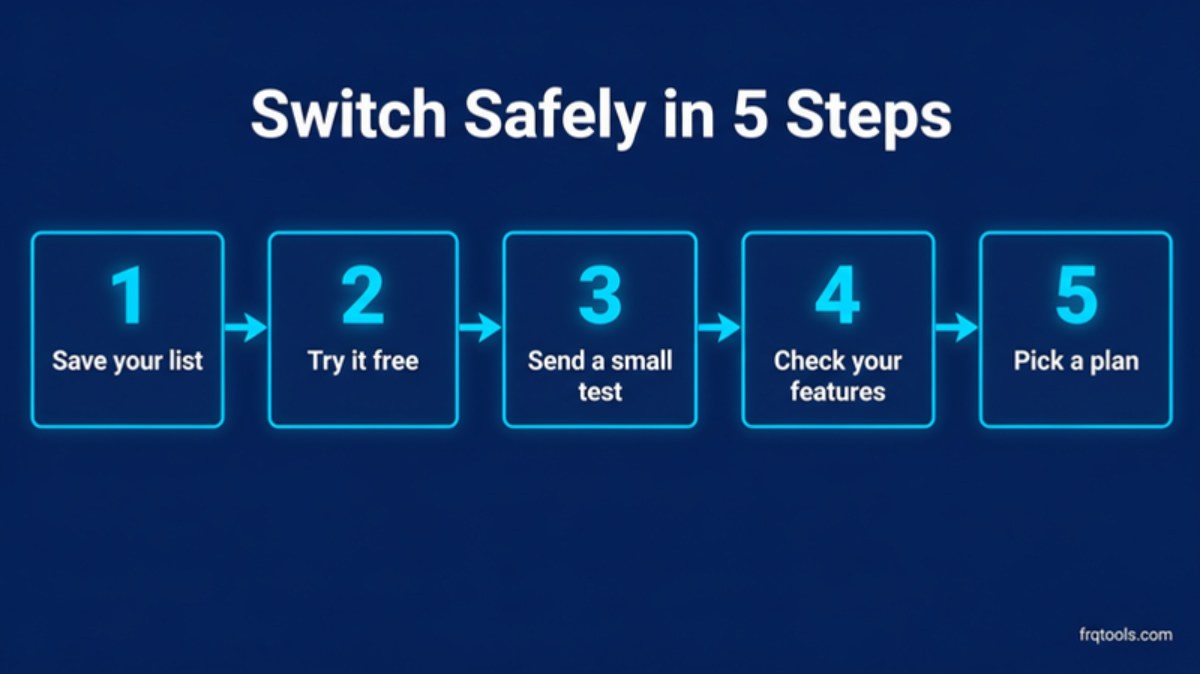
1. Save your list
Keep your contacts in an Excel or CSV file with one column for the name and one for the number. Keep a second file for people who asked you to stop, and remove them from your sending list.
2. Try it free
Download the FRQ Reach 3-day trial. No card and no sign-up are needed. It runs on Windows 10 or 11. A Mac version may come later, so there is none today. You link your number once with a QR code from your phone.
3. Send a small test
Send to a few of your own numbers or to staff first. Check that names appear correctly and that images and files open.
4. Check your features
The trial does not include everything. It leaves out message variations, number check, grabbers, scheduling, auto-reply, warm-up and number rotation. If your work depends on one of these, confirm which plan has it before you pay.
5. Pick a plan
Buy only what you need now. The product page does not describe moving an old WaSender license or old saved data into FRQ Reach, so do not assume it happens by itself. If you have an old WaSender purchase, ask us about it before you buy.
When is FRQ Reach the wrong choice?
A fair checklist also says when to walk away.
| Your situation | Better choice |
|---|---|
| You use a Mac only | FRQ Reach needs Windows 10 or 11 |
| Your PC cannot stay on during campaigns | A sender on your PC will not suit you |
| You cannot accept any ban risk | Look at the official WhatsApp Business Platform |
| You want to message cold or bought lists | Do not do it with any tool |
| Your customers mainly read SMS | FRQ SMS Sender for Android |
FRQ Reach is an independent app by FRQ Tools. It is not made by, linked to or approved by WhatsApp or Meta.
What is the next step?
Take the table at the top, write your own answers next to each line, and test before you pay. If FRQ Reach fits, start the free 3-day trial and use the install guide to link your number.
Need something bigger, such as a custom CRM, business automation or a website built around how you work? Contact me here.
Related reading
Want this built for your business?
Tell us what slows you down. We reply on WhatsApp within an hour with a plan and a fixed price.