
On this page
- Which ways can you use to add each customer's name?
- How should you prepare your Excel list?
- How do you personalize bulk WhatsApp messages with FRQ Reach?
- What should your message say besides the name?
- Does adding a name stop WhatsApp from banning you?
- Which FRQ Reach plan do you need?
- What should you check before pressing send?
- What is your next step?
- Related reading
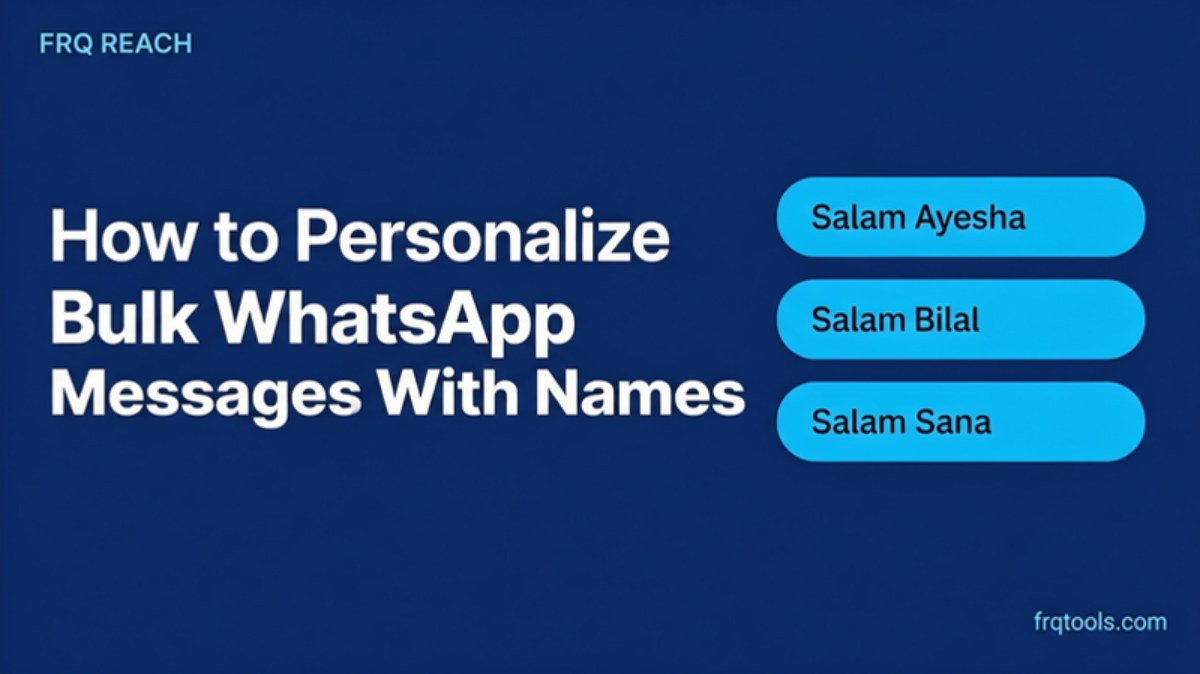
To personalize bulk WhatsApp messages, put names and numbers in an Excel or CSV file, write your message once with {name} where the name should go, and let a sender fill it in for each contact. Then send a small test first, and only message people who agreed to hear from you.
I am a solo founder in Lahore and I build FRQ Reach, a Windows app that does this job. So I have an interest here. The list work in this guide helps you with any method you choose.
"Personalize" simply means each person gets a message that looks written for them. "Salam Ayesha" instead of "Dear customer". It takes a few extra minutes of preparation, and most of that work happens in your contact sheet, not in the app.
Which ways can you use to add each customer's name?
You have four practical options. The right one depends on how many people you message and how often.
| Method | How the name gets in | Works well for | Limit to know |
|---|---|---|---|
| Type by hand | You write each chat yourself | A few important customers | Slow, and easy to paste the wrong name |
| Normal broadcast list | It sends the same text to everyone | Short general news | Reaches only people who saved your number |
| WhatsApp Business paid messages | WhatsApp adds the customer's name | Business app users who have the feature | Paid, and may not be in your country |
| Desktop sender such as FRQ Reach | {name} is filled from your list | Regular messages to your own customers | Windows PC needed, and ban risk remains |
The third row is worth checking before you buy anything. In June 2024, WhatsApp announced an optional paid feature in the WhatsApp Business app. It said businesses could send a message that includes the customer's name, and schedule the day and time. At that time it was rolling out in several countries, including Indonesia and Mexico. Open your own Business app and look, because I cannot tell you if your number has it.
What if you only have 10 or 20 customers?
Type them by hand. You do not need software for a small list. A sender starts to save time when you repeat the same job every week, such as order updates, class reminders or restock news.
How should you prepare your Excel list?
A name placeholder (the spot the app fills in) is only as good as the name in your sheet. If the cell says "ahmed bhai new 2", that is what your customer may read. Clean the list first.
| Problem in the sheet | What the customer may see | Fix |
|---|---|---|
| ALL CAPS name | Salam AYESHA | Write it as Ayesha |
| Notes in the name cell | Salam Bilal (late payer) | Move notes to another column |
| Shop name instead of person | Salam Al Noor Traders | Add the contact person's name |
| Empty name cell | A greeting with something missing | Fill it, or send those contacts a message without {name} |
| Extra spaces | Odd gaps in the greeting | Trim the spaces |
| Same number twice | Two identical messages | Remove the duplicate row |
Keep one row for one person. Put the name in one column and the phone number in another. A clear header such as Name and Phone on the first row helps you avoid mistakes.
Why do phone numbers break in Excel?
Excel treats a phone number like a normal number. Microsoft explains that Excel removes leading zeros and can show long numbers in a short scientific form such as 1.23E+15. So 0300 can turn into 300.
The fix is easy. Select the phone column, press Ctrl+1, open the Number tab and choose Text. Do this before you type or paste the numbers, because the format does not repair numbers already changed.
Next, put every number in one style with the country code, for example 92 for Pakistan. Our free Phone Number Formatter helps with that. CSV is a simple table file that many programs can read. If you save as CSV, open it again and check the numbers before you import.
How do you personalize bulk WhatsApp messages with FRQ Reach?
FRQ Reach is a desktop app for Windows 10 or 11. It works with WhatsApp and WhatsApp Business. Here are the five steps.
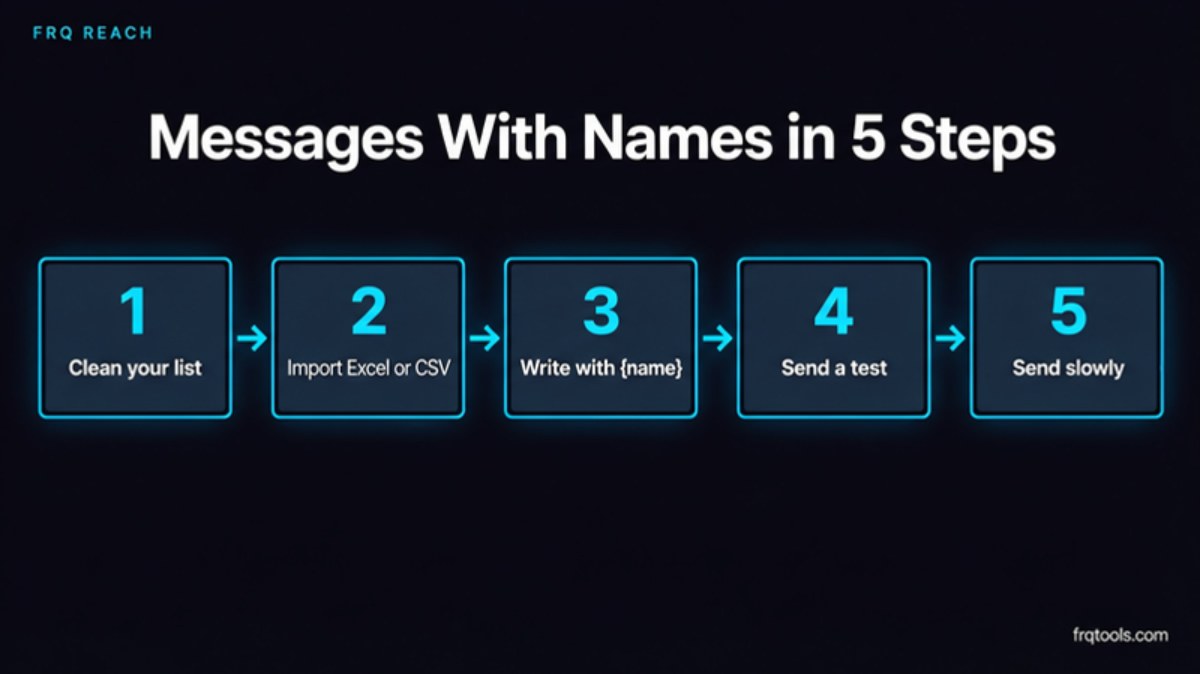
1. Install and link your number
Download the free 3-day trial. No card is needed. Link your number once by scanning a QR code with your phone. The install guide helps you set it up. Windows may show a warning because the app is not yet signed with a paid certificate.
2. Import your Excel or CSV file
Import the cleaned file as a contact list. Your contacts, lists and campaigns are stored on your PC and are not uploaded to our servers. The app only checks your license key.
3. Write the message with {name}
Type your message once and put {name} where the person's name belongs. Use the curly brackets exactly as shown. For example:
Salam {name}, your order is ready. You can collect it from our shop today between 11 am and 8 pm. Reply STOP if you do not want these updates.
You can also send images, videos and files with your campaign.
4. Send a test to yourself
Make a tiny list with your own number and one or two staff numbers. Use different names in it. Check that each phone shows the right name, the spacing looks natural and any file opens. This short test can save you a very awkward afternoon.
5. Send slowly
Random delays, breaks and sending hours are part of every plan, including the trial. The trial allows 20 messages a day on one number. On paid plans you choose the daily limit, and each campaign has its own. Your PC must stay on and online while a campaign runs.
What should your message say besides the name?
A name alone does not make a message useful. Add one real reason for writing today. Say who you are, what happened and what the person should do next. Put your business name in too, so nobody has to guess.
| Business | Message you can copy and change |
|---|---|
| Clothing shop | Salam {name}, the winter stock you asked about has arrived. Reply YES and we will share photos. Reply STOP to opt out. |
| Academy | Dear {name}, tomorrow's class starts at 5 pm. Please bring your notebook. Reply STOP to stop reminders. |
| Salon or clinic | Hi {name}, a reminder about your visit tomorrow. Reply with a new time if you need to change it. |
| Service business | Salam {name}, your work is complete. Please check it and tell us if anything needs a fix. |
Think about who {name} is. In a school list, is it the student or the parent? In a company list, is it the owner or the buyer? Pick one meaning for the column and keep it the same on every row.
How do message variations help?
Variations let the app pick different words for different people. You write the choices inside curly brackets with a line between them, like this:
{Hi|Salam|Hello} {name}, your order is ready. {Thank you|Thanks for choosing us}.
Message variations are on paid plans, not on the free trial. Keep every choice polite and correct, and read each one aloud with a name. Variations change the wording. They do not make an unwanted message welcome.
Does adding a name stop WhatsApp from banning you?
No. Nothing makes a bulk sender ban-proof. WhatsApp's Terms of Service do not allow bulk messaging or auto-messaging, or non-personal use that WhatsApp has not authorised. Using any bulk tool on a normal WhatsApp number carries risk. Delays and limits can lower it, but they cannot remove it.
Permission matters more than any setting. The WhatsApp Business Messaging Policy says you may contact people only if they gave you their number and you received their opt-in permission. Opt-in means they clearly agreed. It also says you must respect every request to stop or block.
Message your own customers, not bought or copied lists.
Remove anyone who says stop, the same day.
Do not use your main business number for bulk sending.
Start slowly on a new number.
Read my guide on lowering ban risk and the 14-day warm-up plan for new numbers. Warm-up means starting with a few messages and growing day by day. If you cannot accept any risk, look at the official WhatsApp Business Platform instead.
Which FRQ Reach plan do you need?
These are the prices on the product page on the day this was written. Check the current plans before you pay.
| Plan | Price per month | Numbers | Personalisation and extras | Start |
|---|---|---|---|---|
| Free trial | Free for 3 days | 1 | {name}, Excel import, 20 messages a day | Download |
| Starter | $9 or PKR 2,500 | 1 | Adds message variations, number check, grabbers | Buy Starter |
| Pro | $19 or PKR 5,000 | 3 | Adds scheduling, auto-reply, warm-up | Buy Pro |
| Agency | $39 or PKR 10,000 | 10 | Adds number rotation, priority support | Buy Agency |
The page also shows a founding offer: the first 10 buyers get Pro at the Starter price for as long as they stay subscribed. It may be gone when you read this. A yearly payment gives you 2 months free, and plans do not renew automatically. You can pay by card, JazzCash, Easypaisa or bank transfer.
What are the honest limits?
There is no Mac version today. Your PC has to stay on during campaigns. The only placeholder the product page names is {name}, so do not plan on other fields such as amount or due date without checking first. FRQ Reach is an independent app by FRQ Tools. It is not made by, linked to or approved by WhatsApp or Meta.
If your customers read SMS more than WhatsApp, our free Android app FRQ SMS Sender may suit you better.
What should you check before pressing send?
Every row has a clean name and a full number with country code.
{name} is typed with curly brackets.
Your test message showed the right names.
Everyone on the list agreed to get your messages.
The message tells them how to stop.
The daily limit is modest for your number.
What is your next step?
Open your customer sheet and clean 20 rows today. Then start the free FRQ Reach trial, add {name} to one short message and send it to your own phone. If you like what you see, compare the plans.
Need something bigger, such as a custom CRM, business automation or a website built around how you work? Contact me here.
Related reading
Want this built for your business?
Tell us what slows you down. We reply on WhatsApp within an hour with a plan and a fixed price.